Activity lifecycle
 https://www.youtube.com/watch?v=UJN3AL4tiqw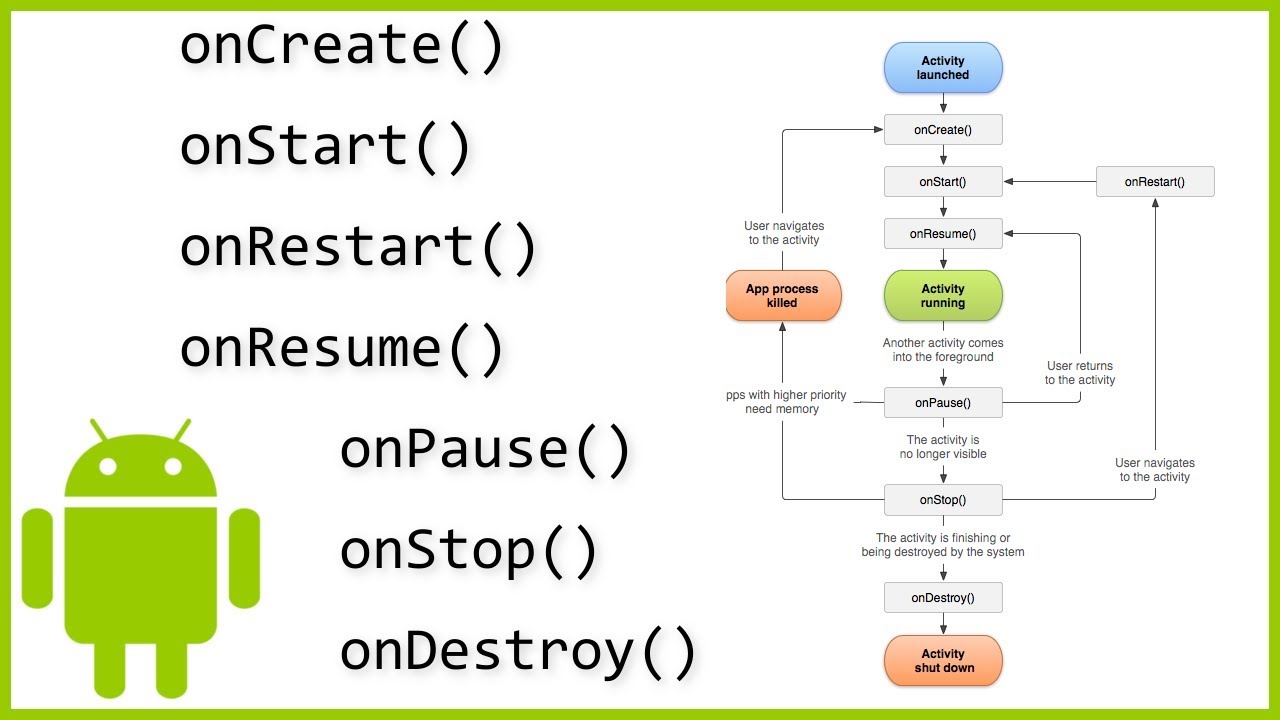
Activity
An activity in Android Java is a component of an application that represents a single screen with a user interface. It is a fundamental building block of an Android application and serves as the entry point for interacting with the user. Activities are responsible for handling user interactions, displaying views, and managing the lifecycle of the user interface.
Each activity has its own lifecycle, which consists of a series of methods that are called at different stages of the activity's existence. These methods allow the activity to perform initialization tasks, respond to user input, and manage its state as it transitions between different states, such as being created, started, resumed, paused, stopped, or destroyed.
Overall, activities play a crucial role in Android app development as they provide the main interface for users to interact with the application and allow developers to control the behavior and appearance of the app's user interface.
Lifecycle
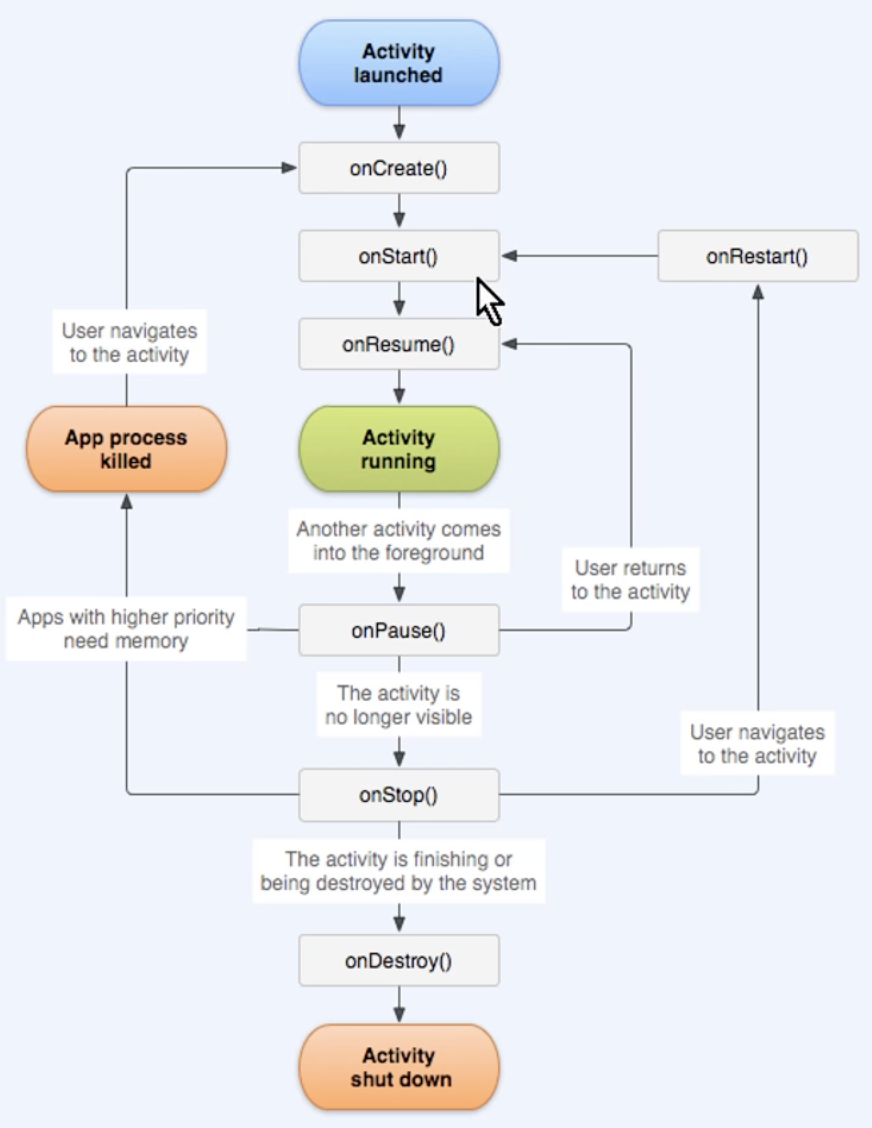
The Activity lifecycle in Android Java refers to the various states that an activity can be in during its lifetime. Understanding the activity lifecycle is essential for managing the behavior and state of an activity effectively.
The typical activity lifecycle consists of the following states:
onCreate(): This is the first method called when an activity is created. It is used for initialization and setup tasks. Here is an example of the onCreate() method:
@Override
protected void onCreate(Bundle savedInstanceState) {
    super.onCreate(savedInstanceState);
    setContentView(R.layout.activity_main);

    // Initialization and setup tasks
}
onStart(): This method is called when the activity becomes visible to the user but is not yet focused. It is followed by onResume(). Here is an example:
@Override
protected void onStart() {
    super.onStart();
    // Perform tasks when the activity starts
}
onResume(): This method is called when the activity is about to interact with the user. It is the ideal place to start animations, play audio, or initialize components that should run continuously. Example:
@Override
protected void onResume() {
    super.onResume();
    // Resume tasks that were paused or stopped
}
onPause(): This method is called when the activity is partially visible to the user but not in the foreground. It is followed by onStop(). Example:
@Override
protected void onPause() {
    super.onPause();
    // Pause tasks that should be stopped when the activity is not visible
}
onStop(): This method is called when the activity is no longer visible to the user. It is followed by either onRestart() or onDestroy(). Example:
@Override
protected void onStop() {
    super.onStop();
    // Perform tasks when the activity is stopped
}
onDestroy(): This method is called before the activity is destroyed. It is used to release resources and perform any final cleanup. Example:
@Override
protected void onDestroy() {
    super.onDestroy();
    // Cleanup and release resources
}
By understanding and effectively utilizing the activity lifecycle methods, you can manage the state and behavior of your Android Java activities more efficiently.