Architecture
The Flutter architecture
Flutter has a modular, layered architecture. This allows you to write your
application logic once and have consistent behavior across platforms,
even though the underlying engine code differs depending on the
platform. The layered architecture also exposes different points for
customisation and overriding, as necessary.
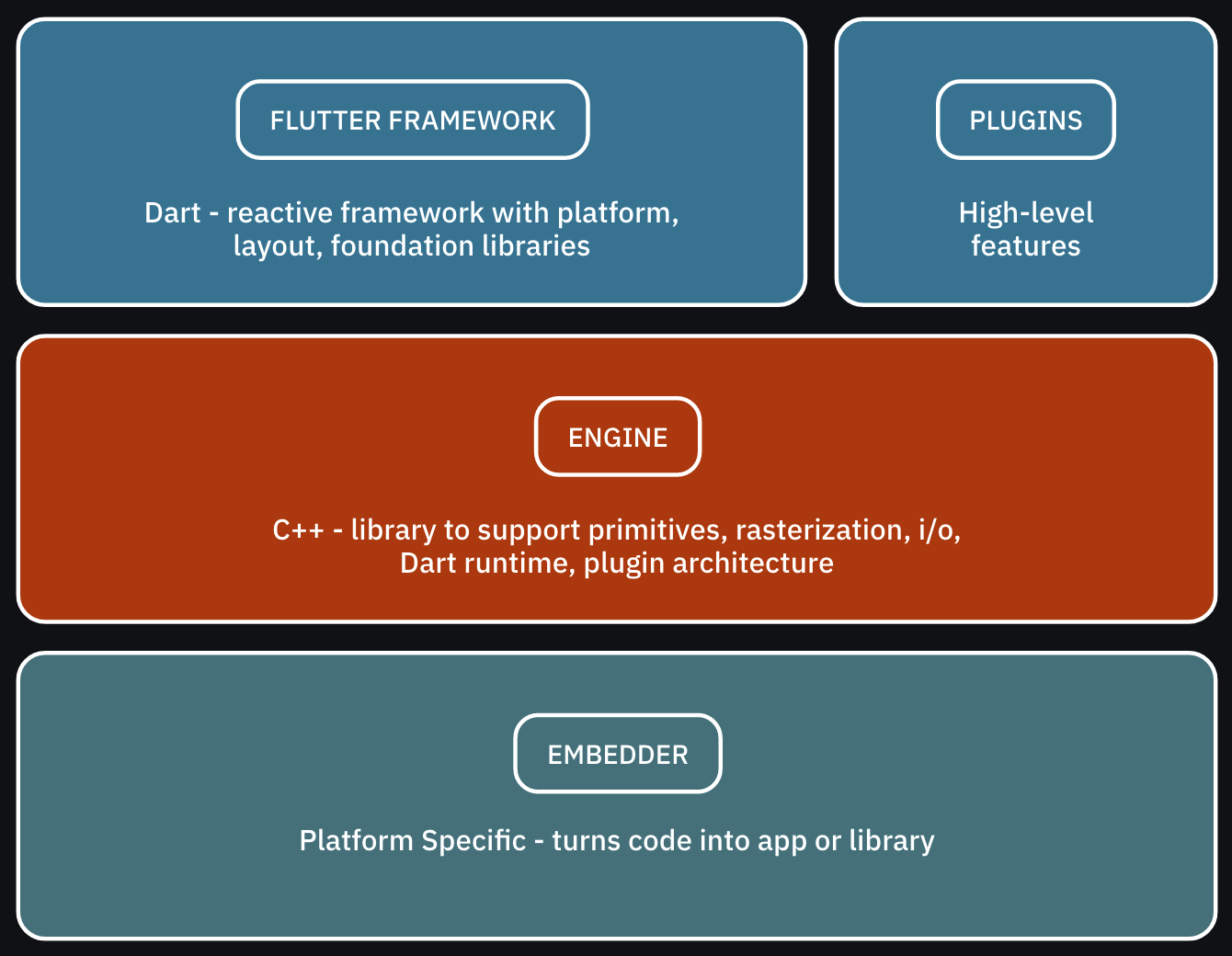
The Flutter architecture consists of three main layers:
- The Framework layer is written in Dart and contains the high-level libraries that
you’ll use directly to build apps. This includes the UI theme, widgets,
layout and animations, gestures and foundational building blocks.
Alongside the main Flutter framework are plugins:
high-level features like JSON serialization, geolocation, camera access, in-app payments and so on. This plugin-based architecture lets you
include only the features your app needs.
- The Engine layer contains the core C++ libraries that make up the primitives that
support Flutter apps. The engine implements the low-level primitives of
the Flutter API, such as I/O, graphics, text layout, accessibility, the
plugin architecture and the Dart runtime. The engine is also responsible for rasterizing Flutter scenes for fast rendering onscreen.
- The Embedder is different for each target platform and handles packaging the code as a stand-alone app or embedded module.
Framework
Each of the architecture layers is made up of other sublayers and modules, making them almost fractal. Of particular import to general app development is the makeup of the framework layer:
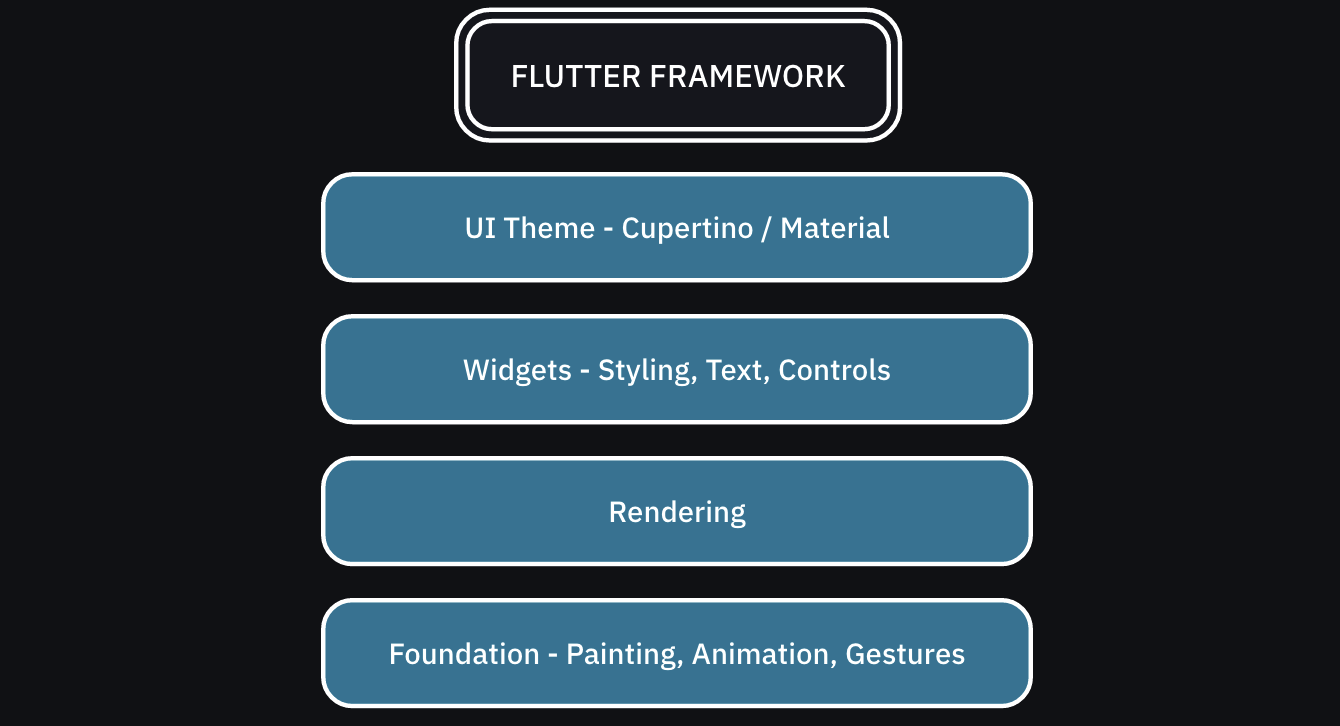
The Flutter framework consists of several sublayers:
- At the top is the UI theme, which uses either the Material (Android) or Cupertino (iOS) design
language. This affects how the controls appear, allowing you to make
your app look just like a native one.
- The widget layer is where you’ll spend the bulk of your UI programming time. This is
where you compose design and interactive elements to make up the app.
- Beneath the widgets layer is the rendering layer, which is the abstraction for building a layout.
- The foundation layer provides basic building blocks, like animations and gestures, that build up the higher layers.