How Widgets are rendered
Really good video
How Flutter renders Widgets
At Google Developer Days China 2019, Andrew Fitz Gibbon and Matt Sullivan discuss how Flutter works under the hood, and dig deep into widgets, elements, and render objects. Stay tuned to gain a better understanding of Flutter, and build better apps!
GDD China 2019 → https://goo.gle/2WMctu8
Flutter Create → https://goo.gle/2WNaG85
Learn everything about Flutter at → https://flutter.dev
Subscribe! → https://goo.gle/Flutter
 https://www.youtube.com/watch?v=996ZgFRENMs
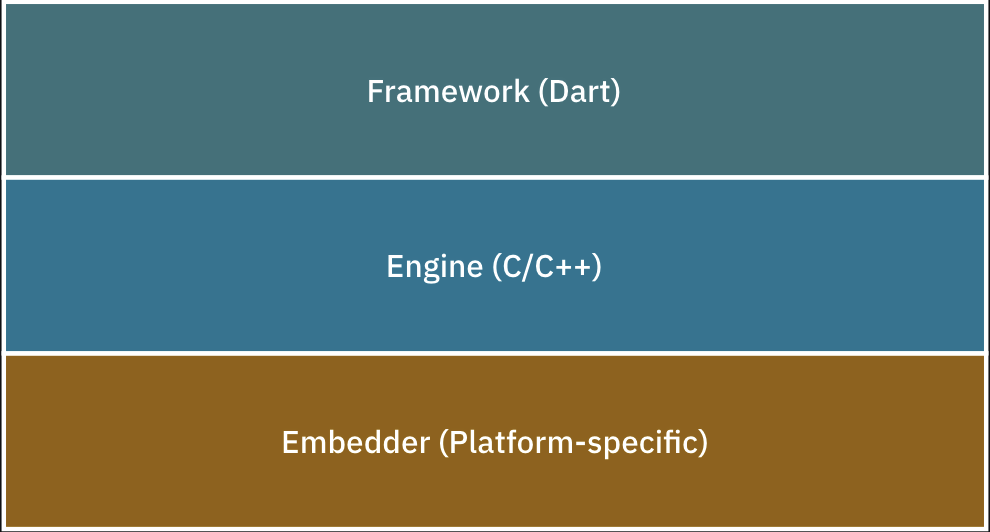
Here we are going to focus on the Framework Layer which can be broken down into the following layers:
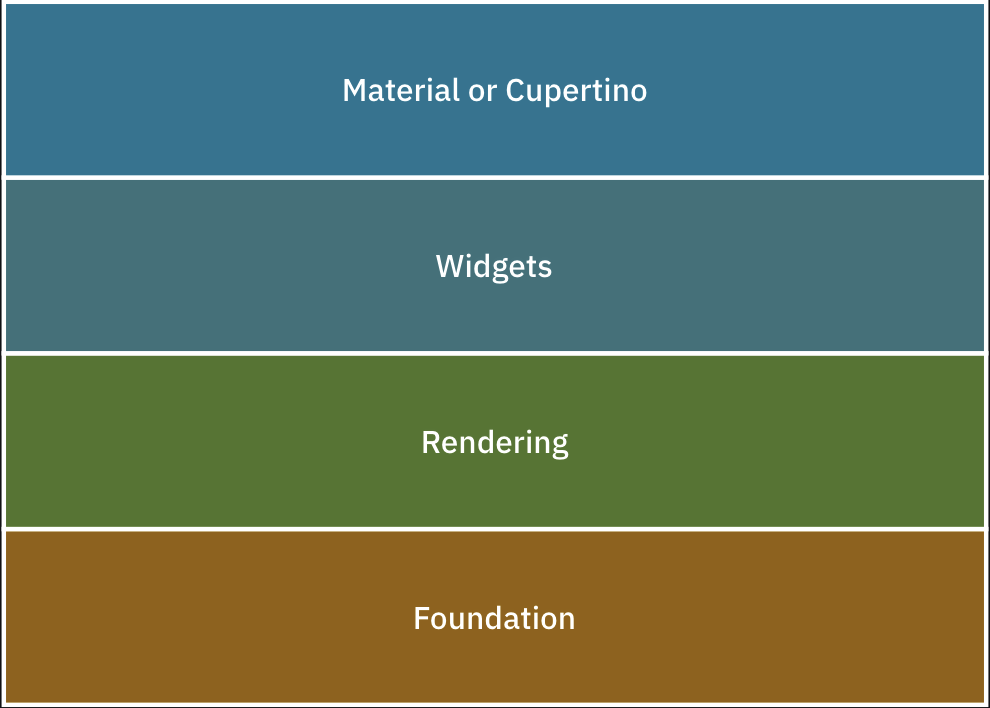
- Material and Cupertino are UI control libraries built on top of the widget layer. They make
your UI look and feel like Android and iOS apps, respectively.
- The Widgets layer is a composition abstraction on widgets. It contains all the
primitive classes needed to create UI controls. Check out the official
documentation here: https://api.flutter.dev/flutter/widgets/widgets-library.html.
- The Rendering layer is a layout abstraction that draws and handles the widget’s
layout. Imagine having to recompute every widget’s coordinates and
frames manually. Yuck!
- Foundation, also known as the dart:ui layer, contains core libraries that handle animation, painting and gestures.
All Three Trees
Flutter’s framework actually manages not one, but three trees in parallel:
- Widget Tree
- Element Tree
- RenderObject Tree
Here’s how a single widget works under the hood:
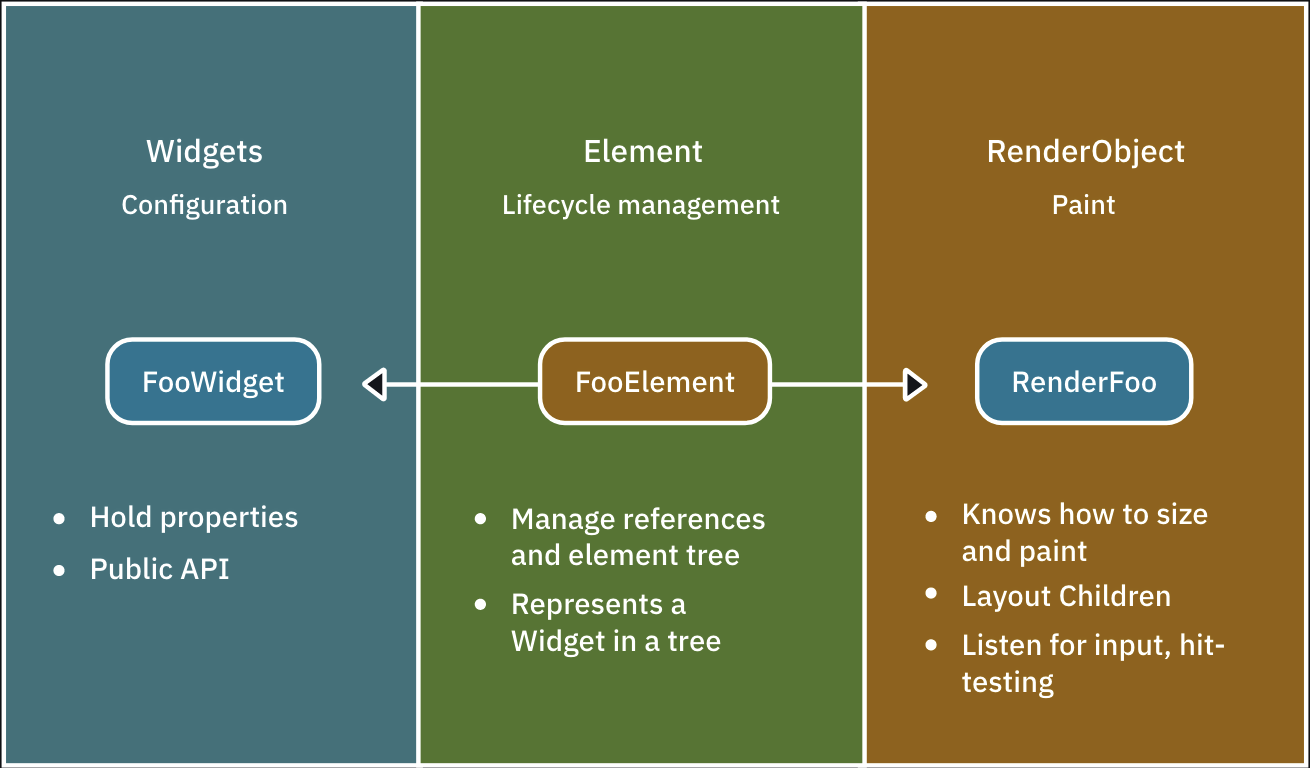
- Widget: The public API or blueprint for the framework. Developers usually just deal with composing widgets.
- Element: Manages a widget and a widget’s render object. For every widget instance in the tree, there is a corresponding element.
- RenderObject: Responsible for drawing and laying out a specific widget instance. Also handles user interactions, like hit-testing and gestures.
Types of Element
There are two types of elements:
- ComponentElement: A type of element that’s composed of other elements. This corresponds to composing widgets inside other widgets.
- RenderObjectElement: A type of element that holds a render object.
You can think of ComponentElement as a group of elements, and RenderObjectElement as a single element. Remember that each element contains a render object to perform widget painting, layout and hit testing.
Example
The image below shows an example of the three trees for the Card2 UI:
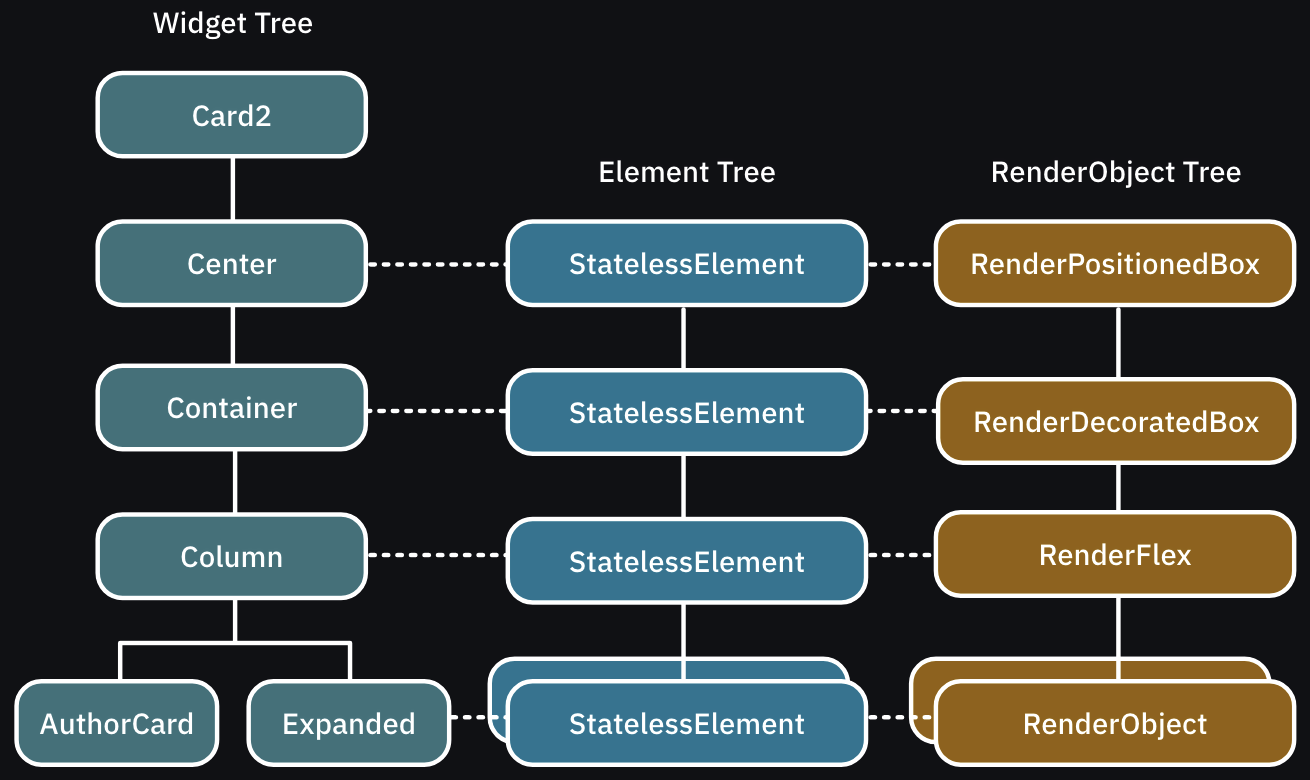
The element tree manages each widget instance and associates a render object to tell the framework how to render a particular widget.