How to make a local DB with docker using MSSQL
1. Download the SQL Sever Docker Image
docker pull mcr.microsoft.com/azure-sql-edge2. Run the Container
Now that we have the SQL Server image locally, it’s time to run the container.
We need to specify several parameters to do this:
eor–env- This is where we set the environment variables needed by the container
por–publish- This publishes a containers ports to the host ports specified
–name- Sets the name of the container
dor–detach- Runs the container in the background (detached)
SQL Server needs us to set 2 environment variables, first to Accept the EULA agreement, and secondly to set the SA password.
docker run -e "ACCEPT_EULA=1" -e "MSSQL_SA_PASSWORD=password123" -e "MSSQL_PID=Developer" -e "MSSQL_USER=SA" -p 1433:1433 -d --name=sql mcr.microsoft.com/azure-sql-edge
Check What Containers Are Running
docker container ls
3. Link to DataGrip (settings as follows)
Connect to it using: Microsoft SQL Server
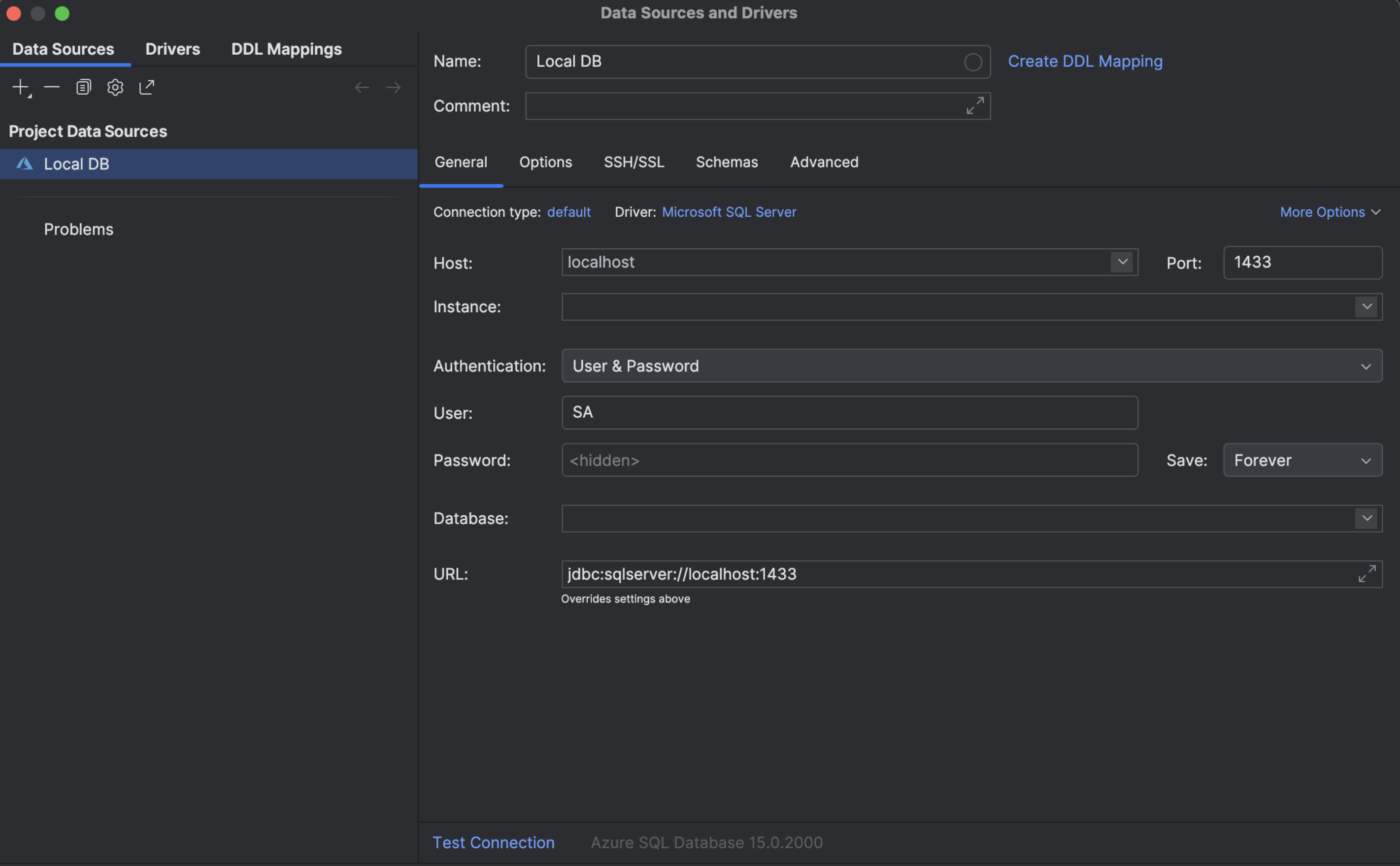
4. Create Data String Example
"ConnectionStrings": {
  "DefaultConnection": "Data Source=localhost,1433;Initial Catalog=groups;User ID=SA;Password=reallyStrongPwd123;Connect Timeout=30;Encrypt=False;TrustServerCertificate=False;ApplicationIntent=ReadWrite;MultiSubnetFailover=False"
}
3. Remove the Container
docker container stop /sqlserver
docker container rm /sqlserver
These are my settings