State Best Practices
- You want as few states as possible this helps KISS
- When reducing the number of states, sometimes states are required when another state has a certain value. In these cases create an object and store both states there.
How to plan out a page
- Identify your component’s different visual states
- Determine what triggers those state changes
- Represent the state in memory using
useState
- Remove any non-essential state variables
- Connect the event handlers to set the state
It can help creating a diagram like the one below, to determine what states are required.
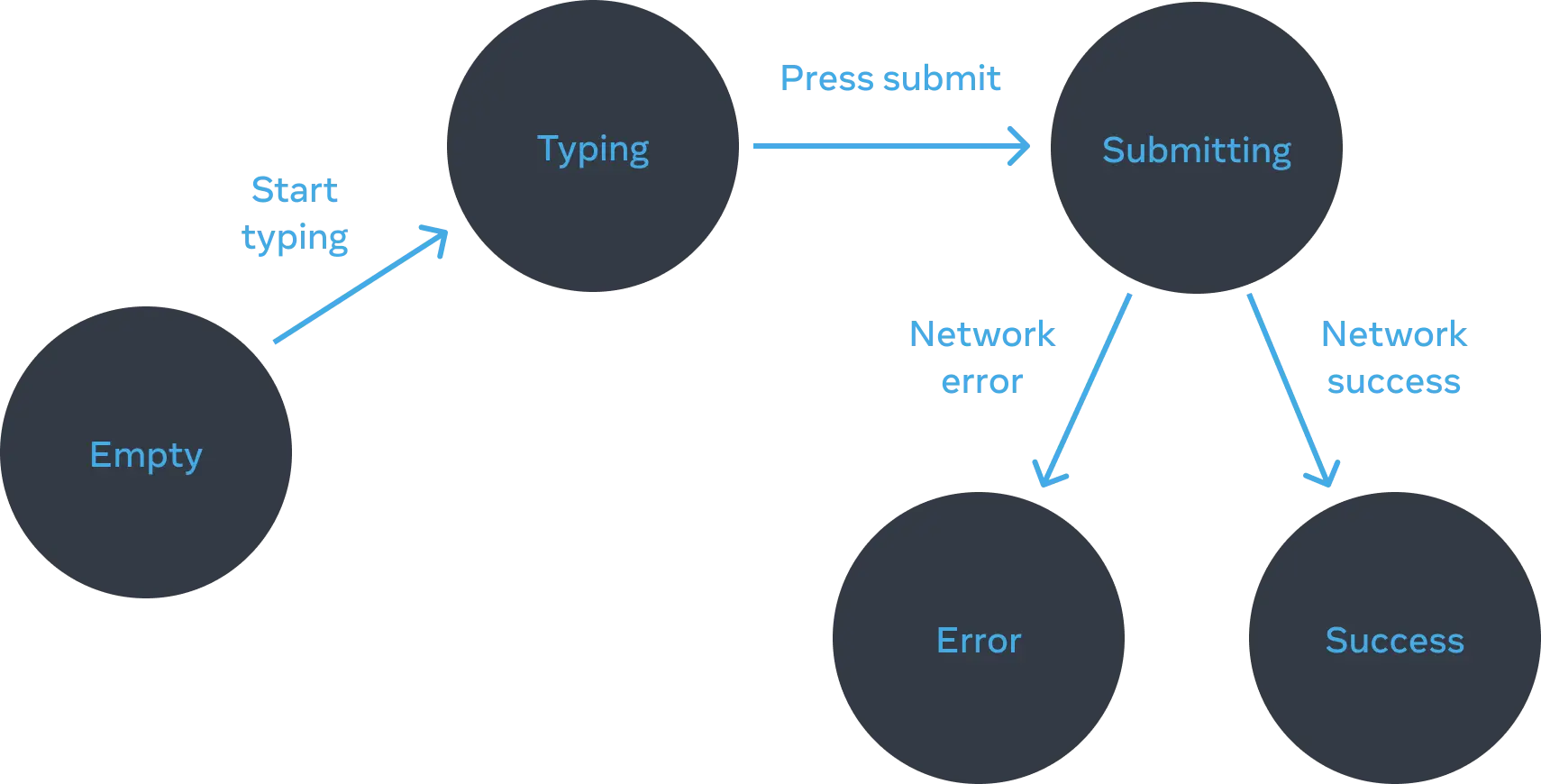
We can then start reducing the number of states after this.
Consider that some of these may be derived from user input states, like start typing could just be the user has inputted some text, and thus input state’s length is greater than 0.