System and Sequence Diagrams
Part 1 Analysis
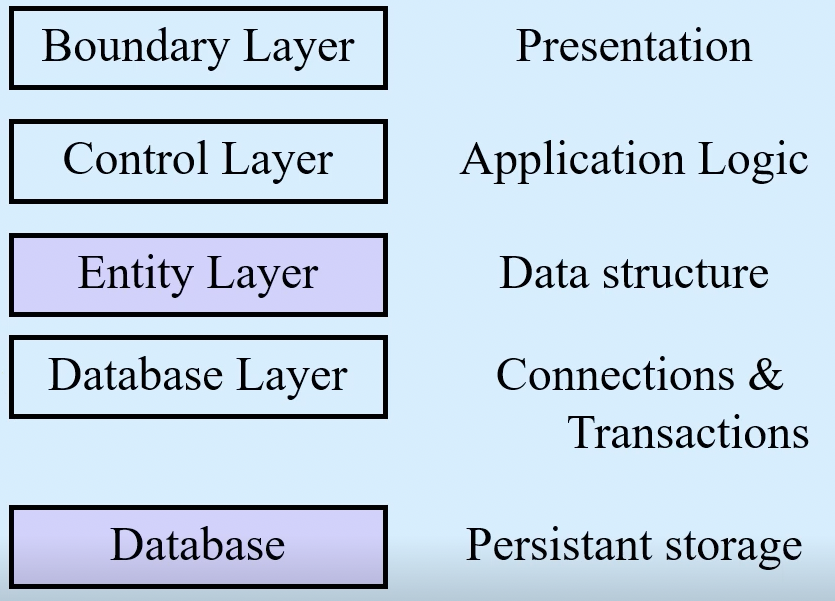
Interface - is the top two layers
Boundary - shows the information to the user
Control layer - takes user input, and control sequence of execution
Entity - data model of the real world entities
Database layer - contains the tables and the mapping for object oriented artifacts
Database - the storage
Goal
To create a conceptual model of the system and its functionality
Not concerned with: interface, software and hardware architecture, concurrency
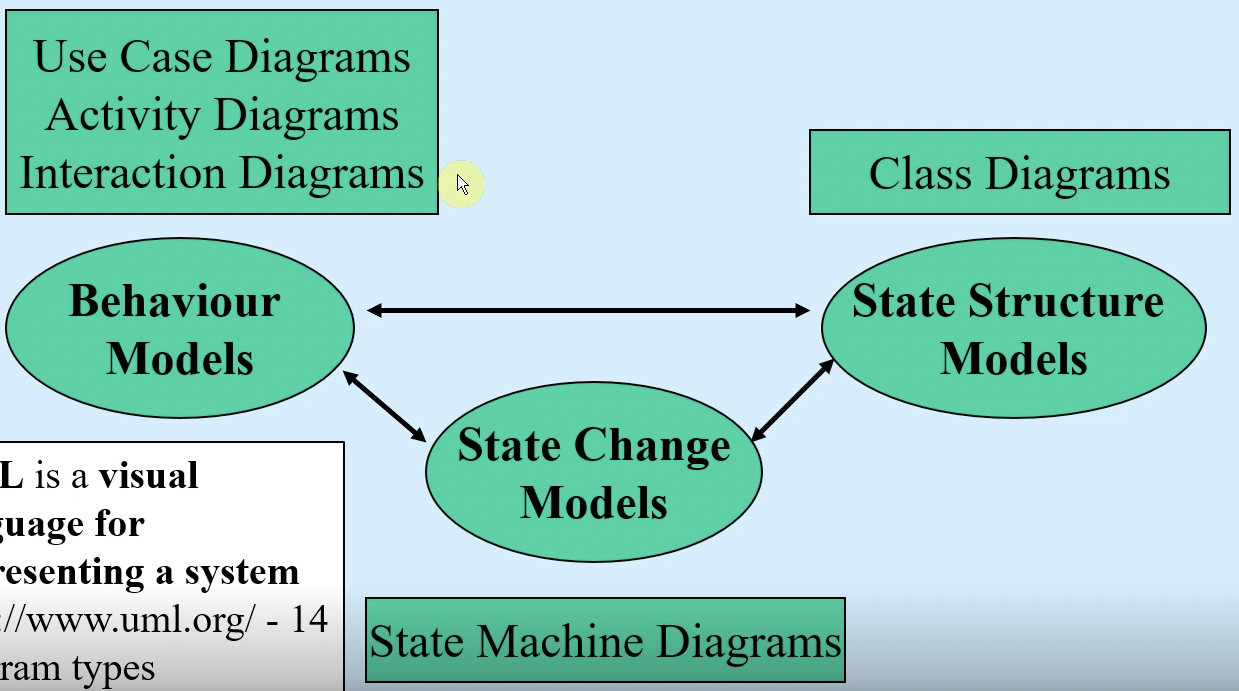
Types of diagram
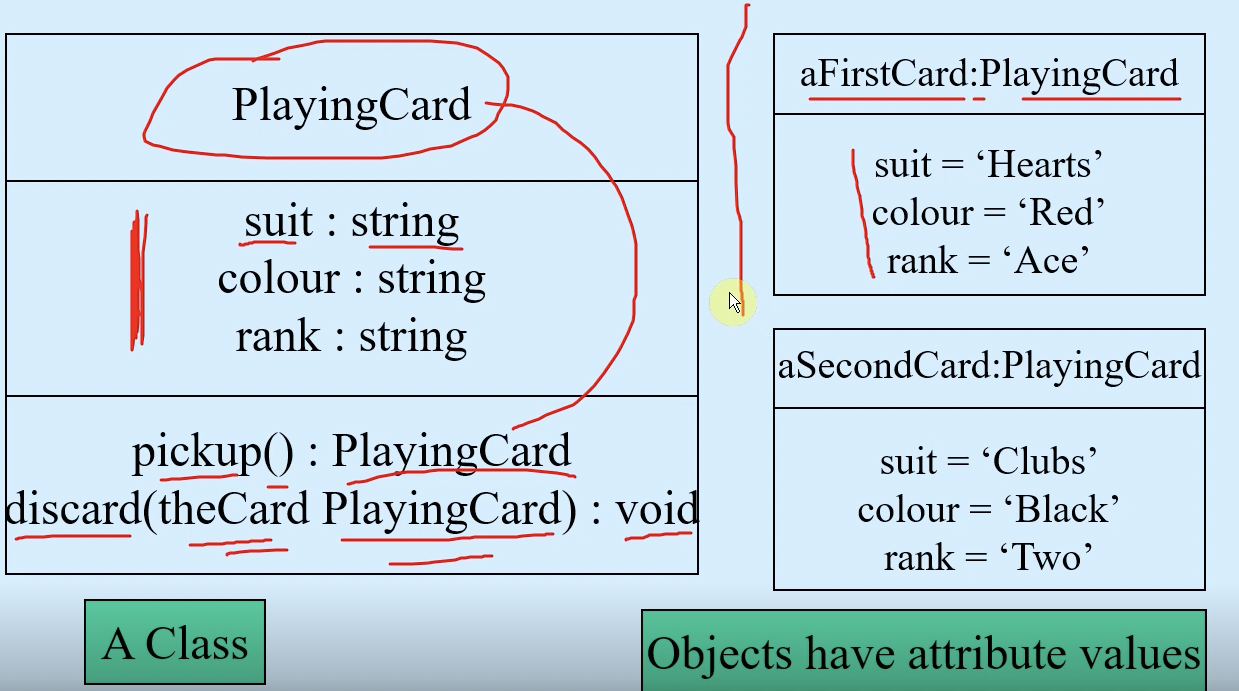
What is an object
Object is an individual item with a well defied roll in a problem
How to draw classes and objects
Part 2 Use Case descriptions
Use case description - text based description
Each use case represents a sequence of events, the diagram should show all scenarios
What a distinction needs:
- The name
- Quick description
- Actors involved
- Preconditions
- Details description of the flow of events, including outliers
- Post conditions, what will the state be at the end
Part 3 Sequence Diagrams
Interaction diagrams - shows how objects interact via messages, sequence diagrams are a type of interaction diagram
Message is an interaction between two objects, normally involves a verb “actor inserts a card into the machine”
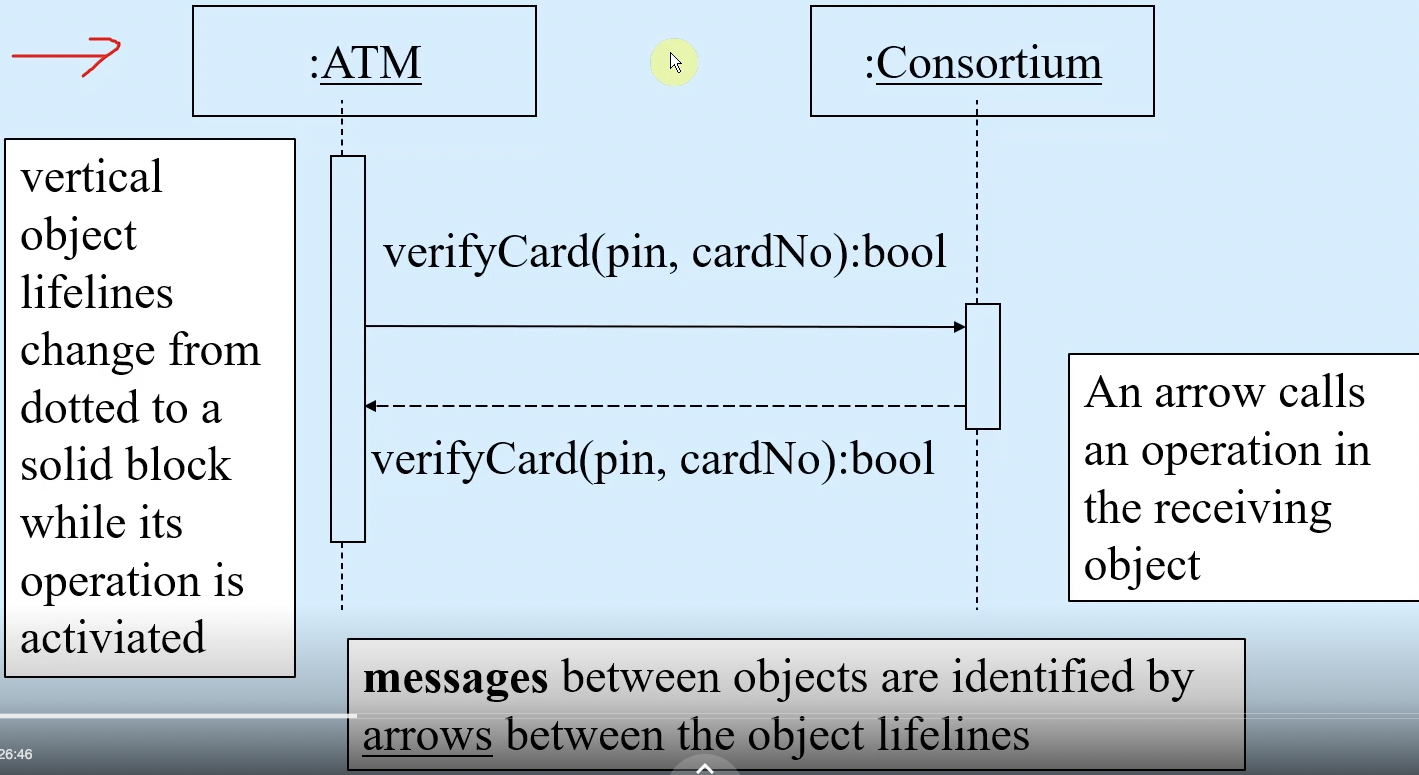
Note: Objects do not have names in the diagram
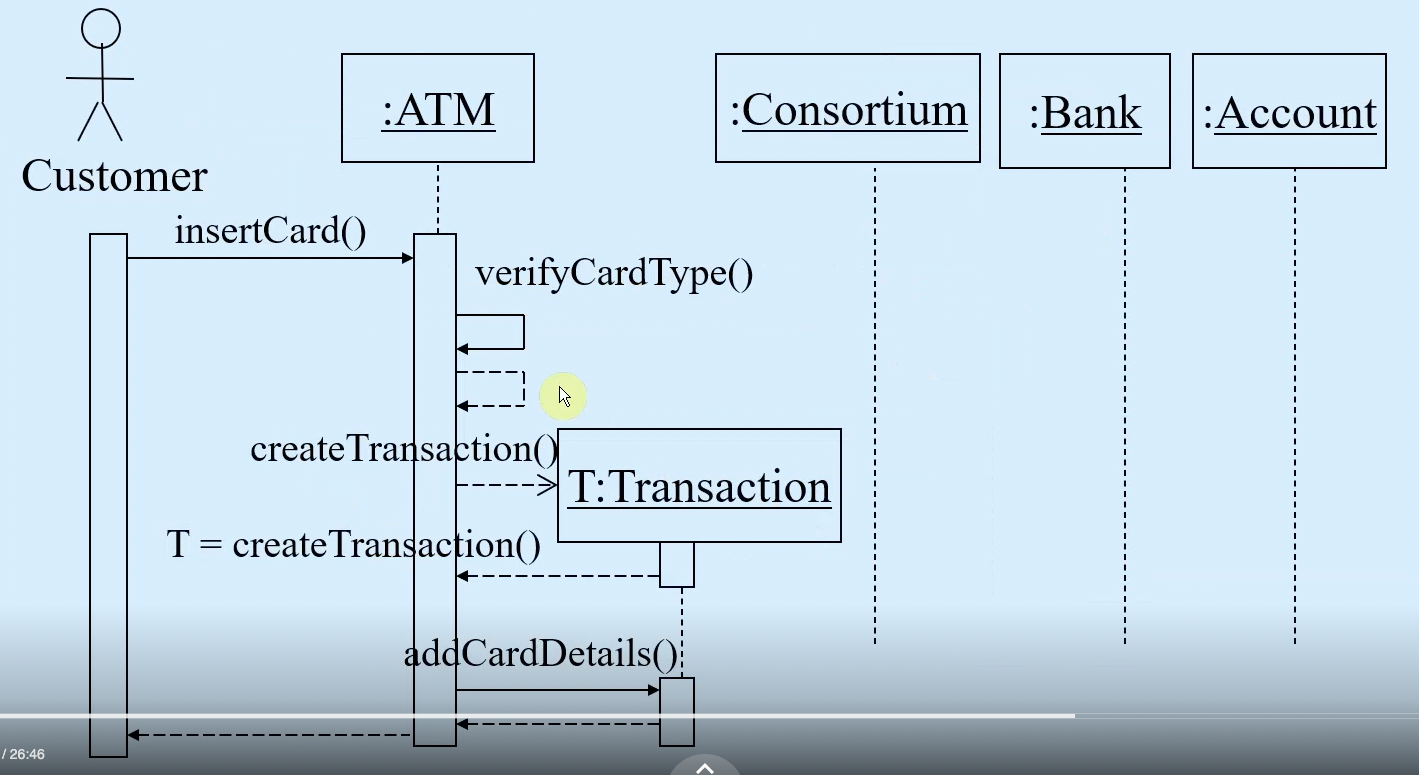
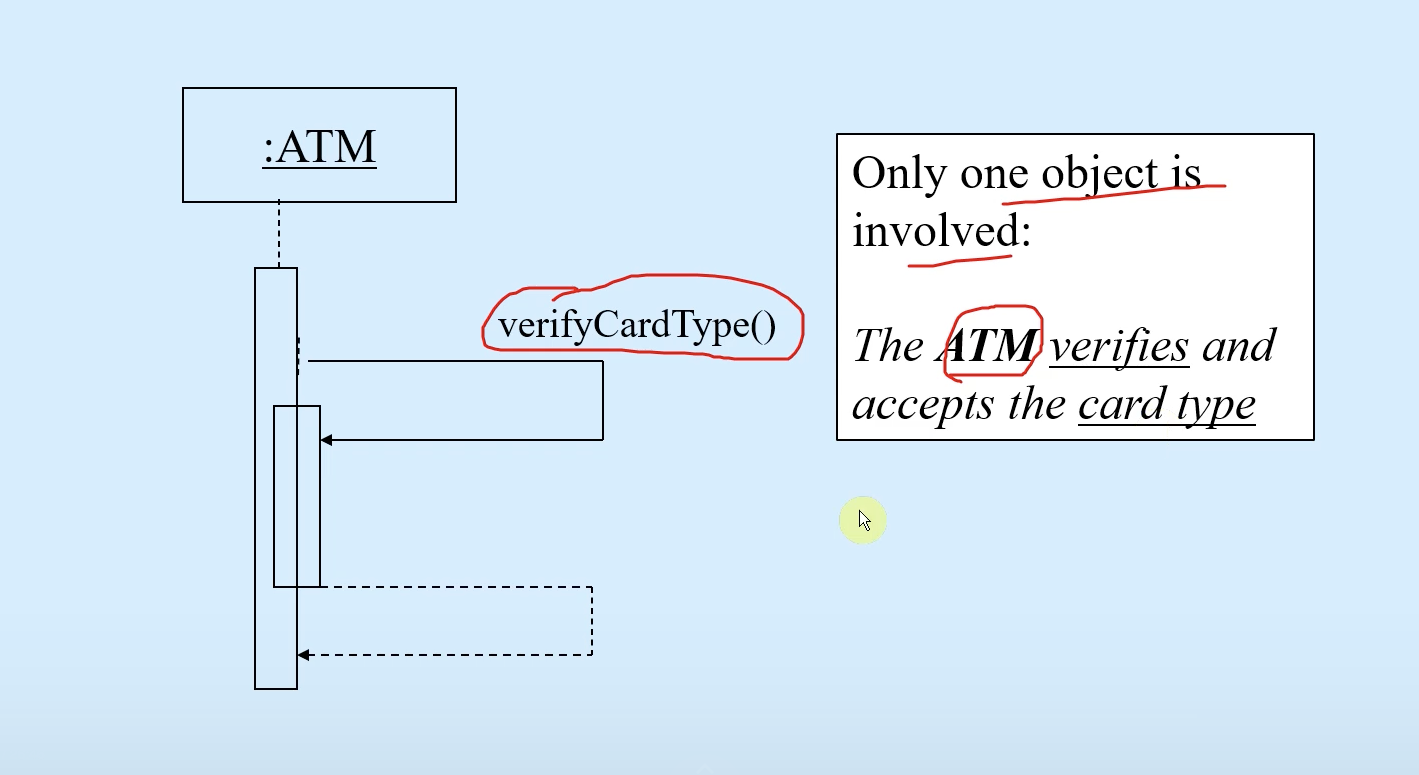
Reflexive Message
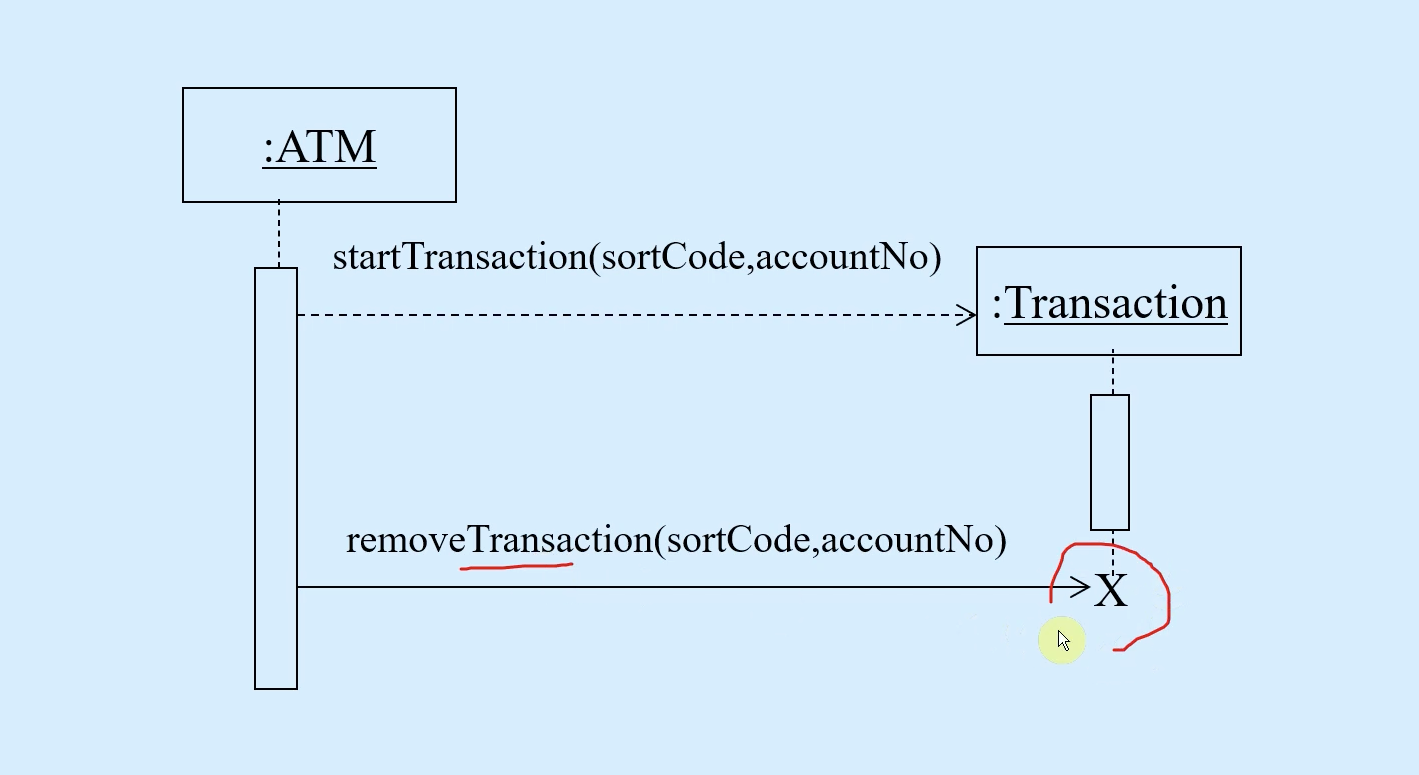
Create and Remove Objects
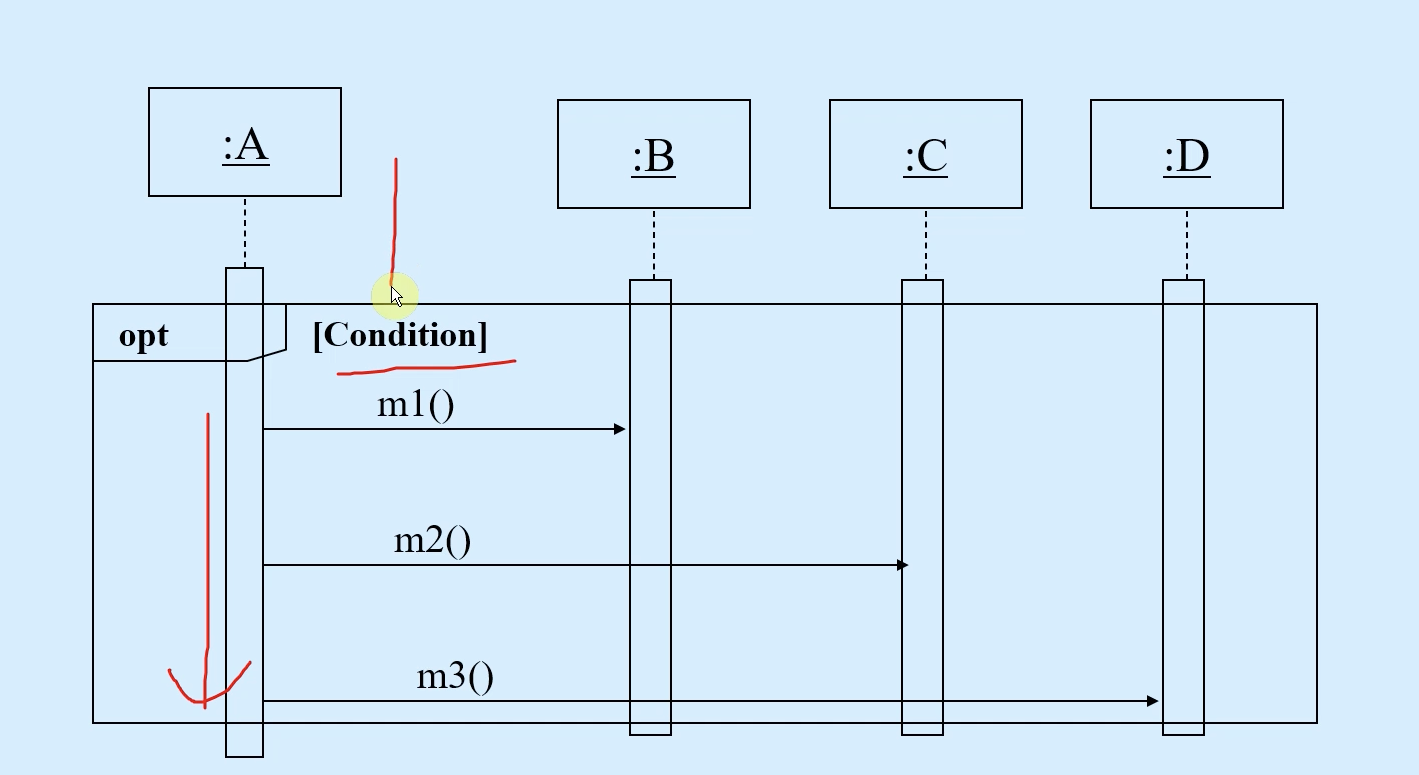
Combined Fragments
What happens when you have alternative flows
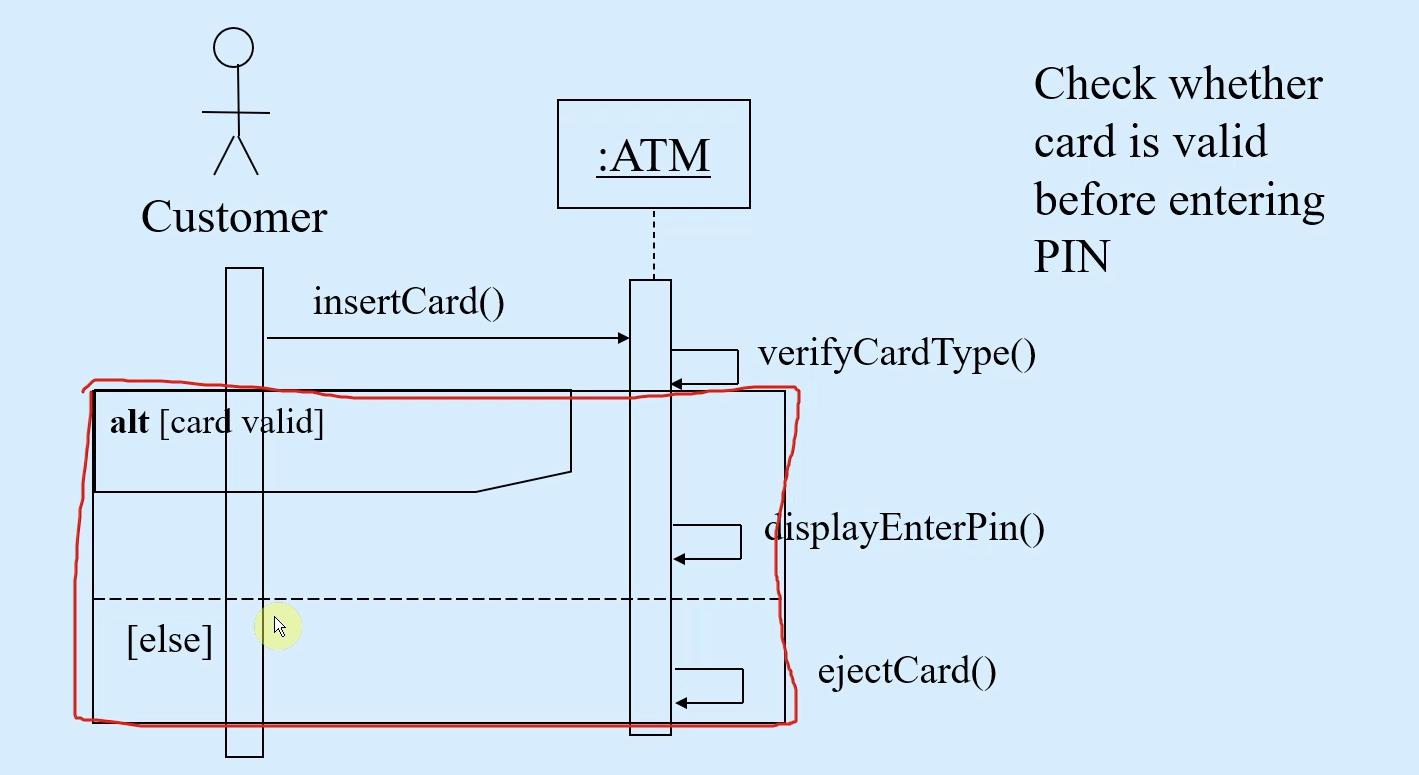
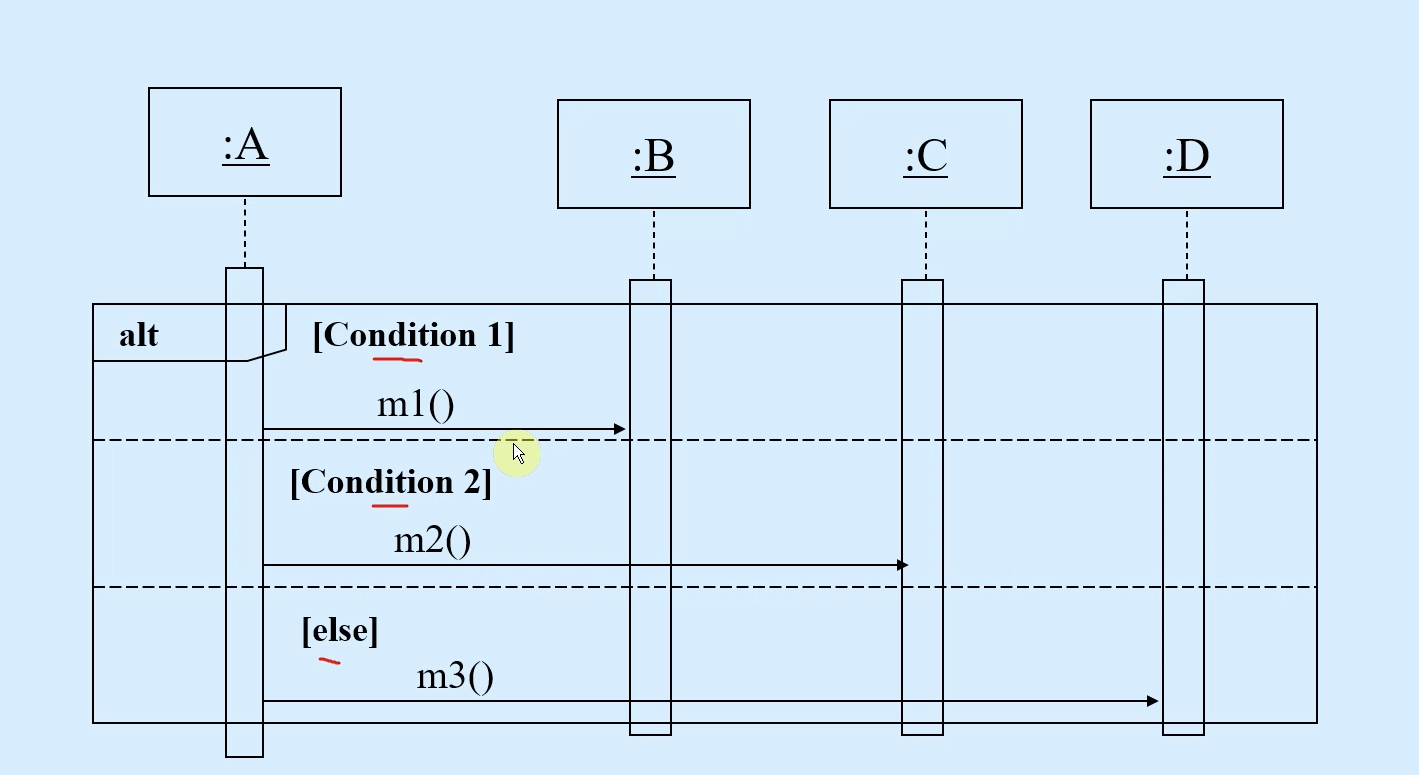
Alt else - if else
Opt - if without the else
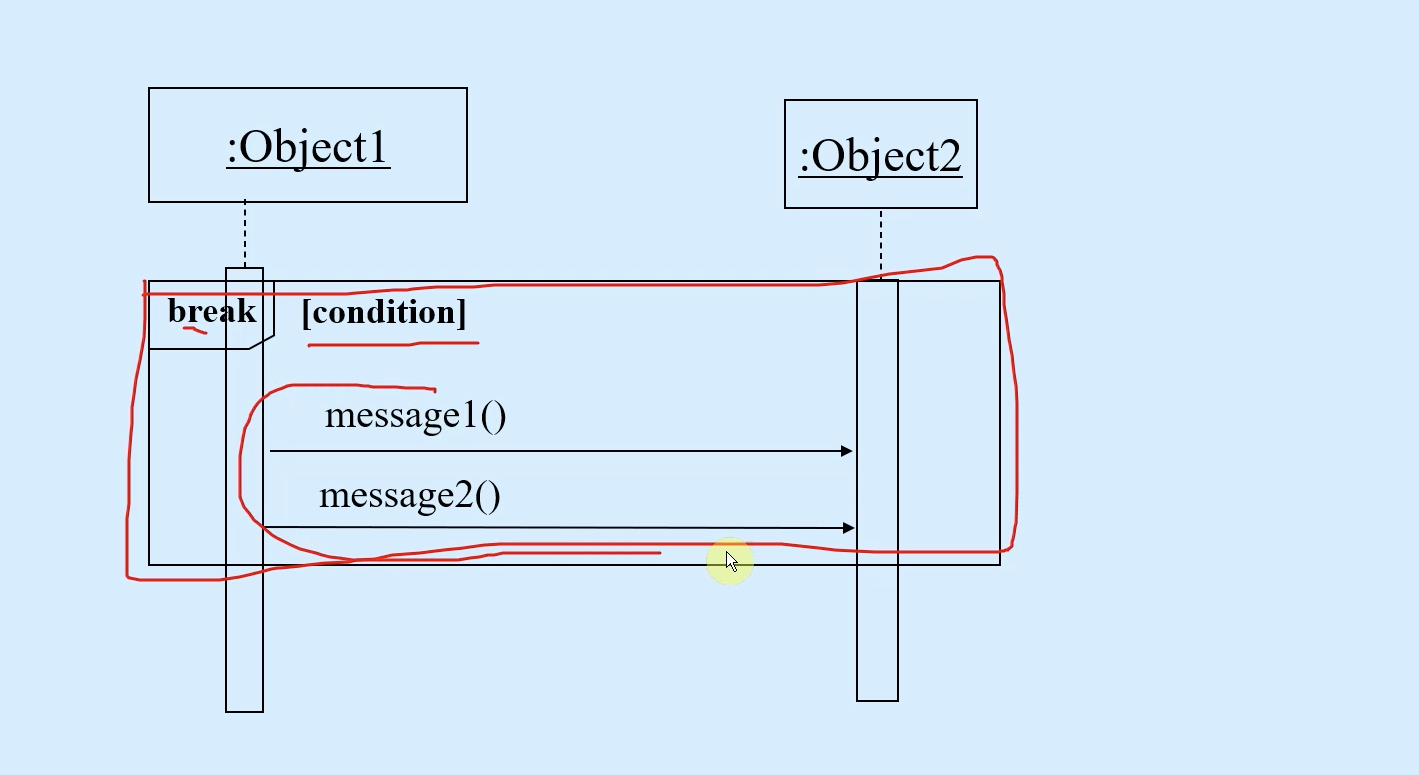
Break - break out of a fragment
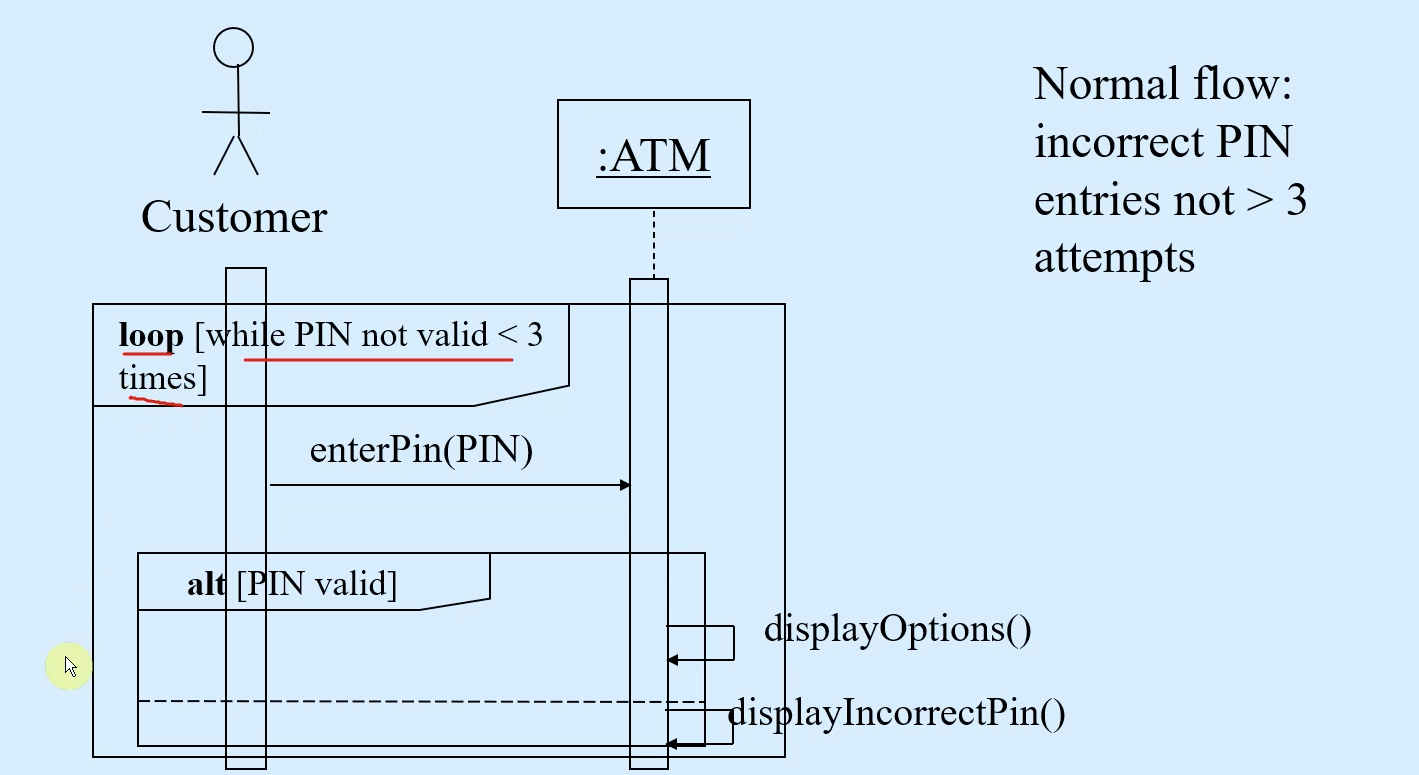
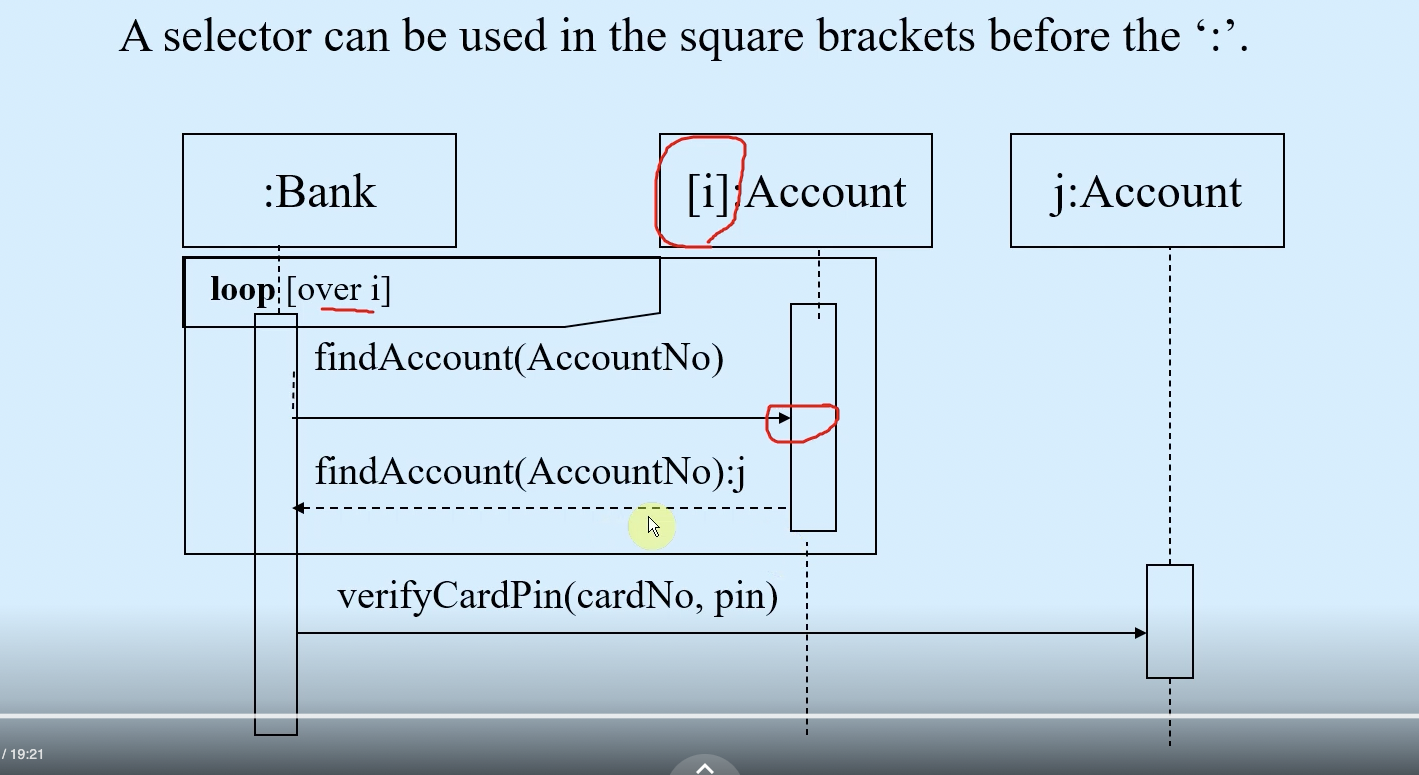
Loop - loop
Alt else
Multiple conditions
Loop
Object loop
Option
Break