OS Introduction - Chapter 1
Definitions
Hardware - provides IO, processing units, and memory
Programs - basic stuff like browsers ect...
User View - how the user interacts with the interface
System program - programs that are apart of the operating system (program that uses bluetooth)
Application program - all programs that are not apart of the operating system
What does an OS do?
Operating System - the one program that is always running, it manages the hardware resources, provides support to applications with common functions i.e. storing data and controlling IO devices, and is an intermediary between the user and the hardware.
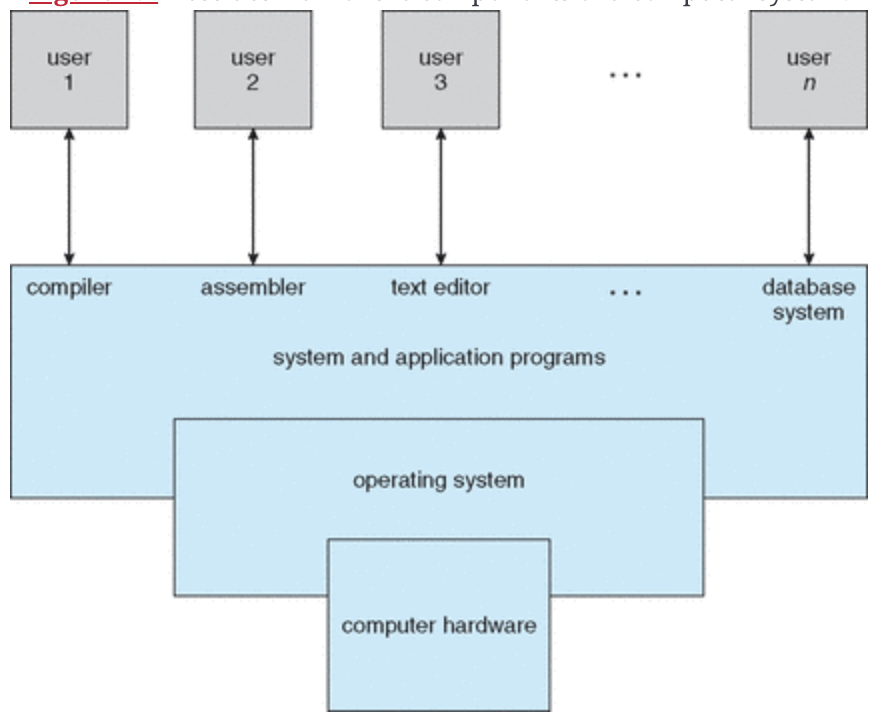
Objectives:
- Kernel of the OS, and is the one program running all the time
- Resource allocator, for the hardware
- Controls program, controls program execution to prevent errors and in-proper
Computer System Organisation
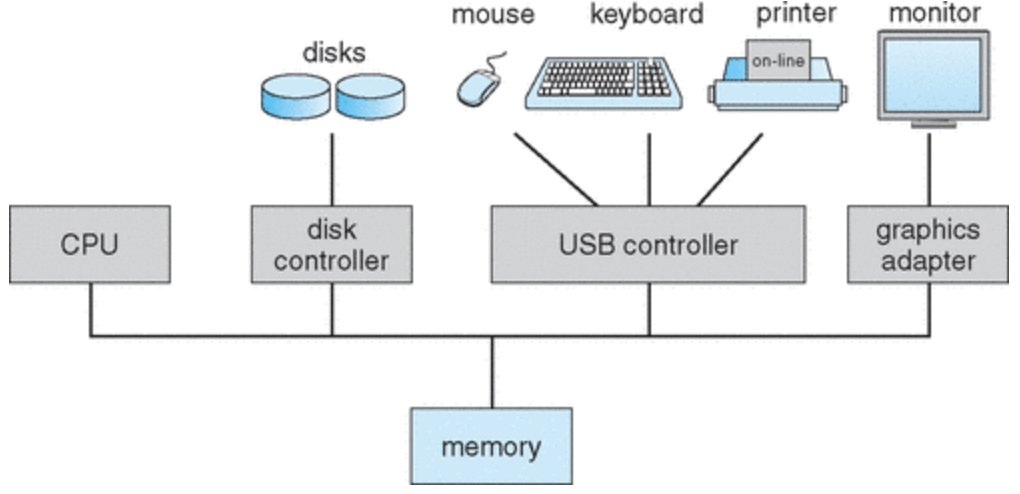
Computers may have multiple CPUs and controllers
Memory controller - handles access to the memory from the controllers and CPUs
- IO and CPU execute concurrently
- All devices have a controller and local buffer
- CPU moves data from main memory to local buffer (baso, cannot speak to device directly has to go through the buffer)
Bootstrap
- the first program run, on boot-up
- stored in ROM/EPROM (firmware)
- loads kernel and system processes into memory
- runs first command “init”
Interrupt
Interrupt - when hardware or software makes a request to the CPU to execute a certain interrupt service routine
System/monitor call - software interrupt
- Interrupt is made
- A pointer to the interrupt service routine is stored in a interrupt vector, stored in low level memory
- This vector is then indexed by the device number, and the interrupt service routine is executed
Storage Hierarchy
- Speed (if faster) higher
- Cost (if more) higher
- Volatility (if true) higher
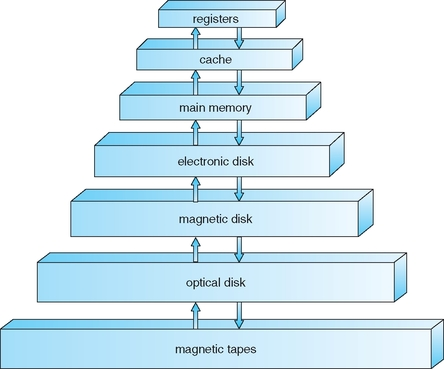
Caching - when you get data from a lower level of storage and store it in a higher level
Device Driver - uniform interface between the controller and kernel