Virtual Memory - Chapter 9
Virtual memory - Separation of user logical memory and physical memory
Virtual address space - the address space available in virtual memory, different for each process
Advantages
- Only part of the program needs to be in memory
- More programs can be open
- More CPU utilisation
- Less I/O when swapping processes
- Virtual memory is larger than physical memory
Implementation methods
- Demand paging
- Demain segmentation
Virtual Address Space
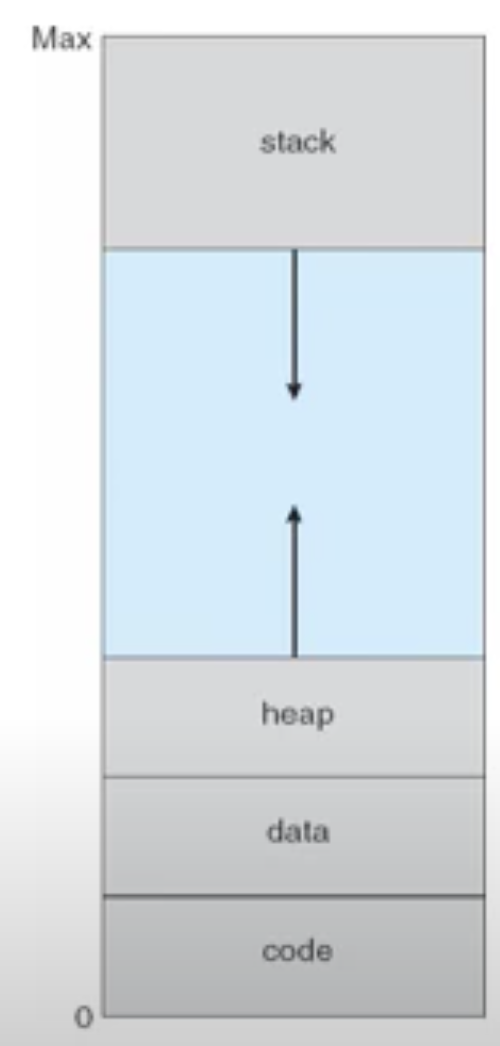
Physical Memory is not given to the hole
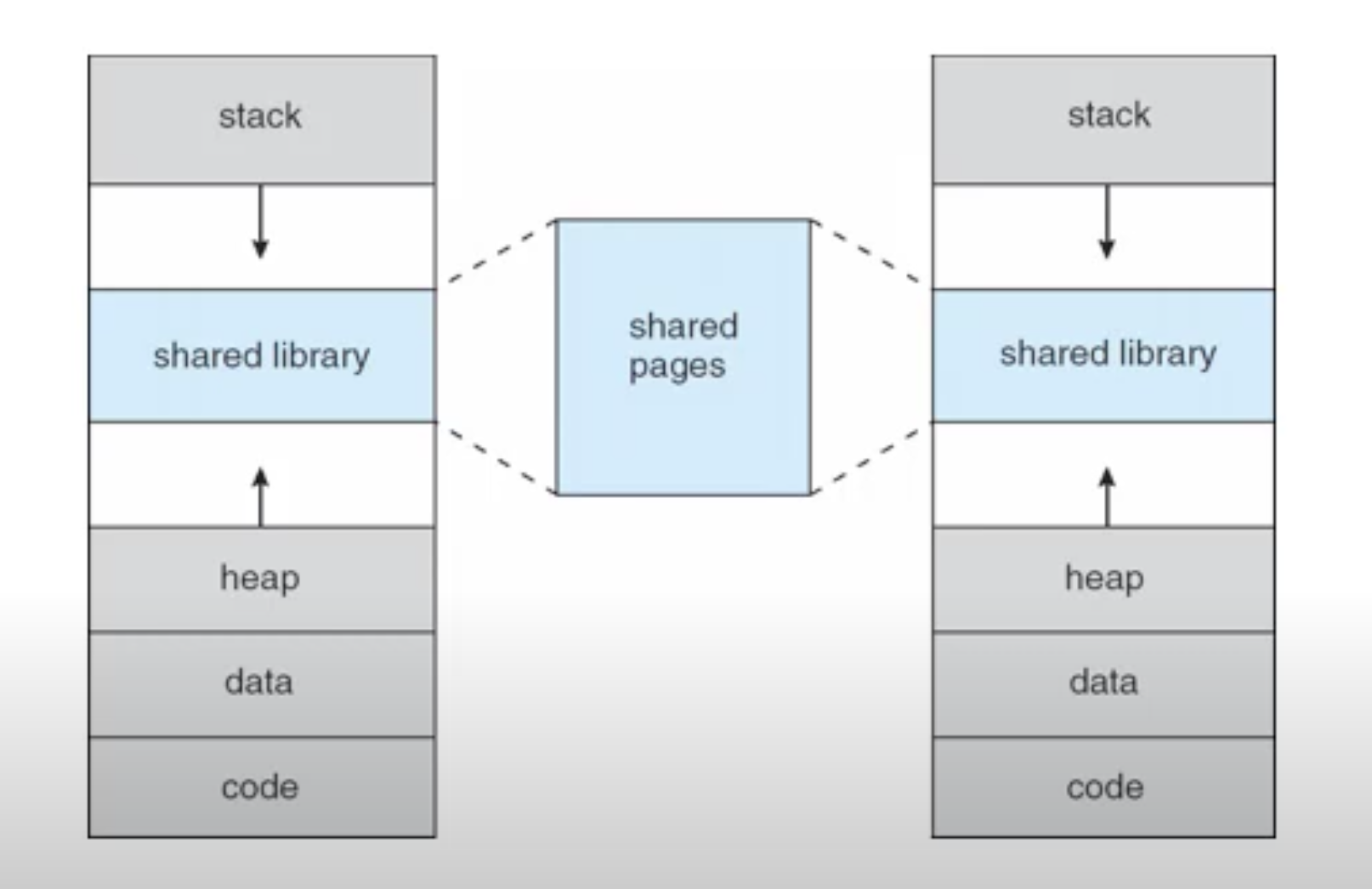
Dynamic libs are stored in the hole
Pages are also shared when forked()
Demand Paging
Demand paging, (lazy swapper) - pages are only brought into memory when needed, needs extra hardware for a validation bit
Memory resident - pages that are already in memory
valid-invalid bit - determines on the page table wether the page is in memory
page fault rate - 0 never faults, 1 always faults
locality - a set of pages that work together, demand paging typically brings in localities
Page fault trap
page fault trap - if there is a reference to a page not in memory then a page fault trap
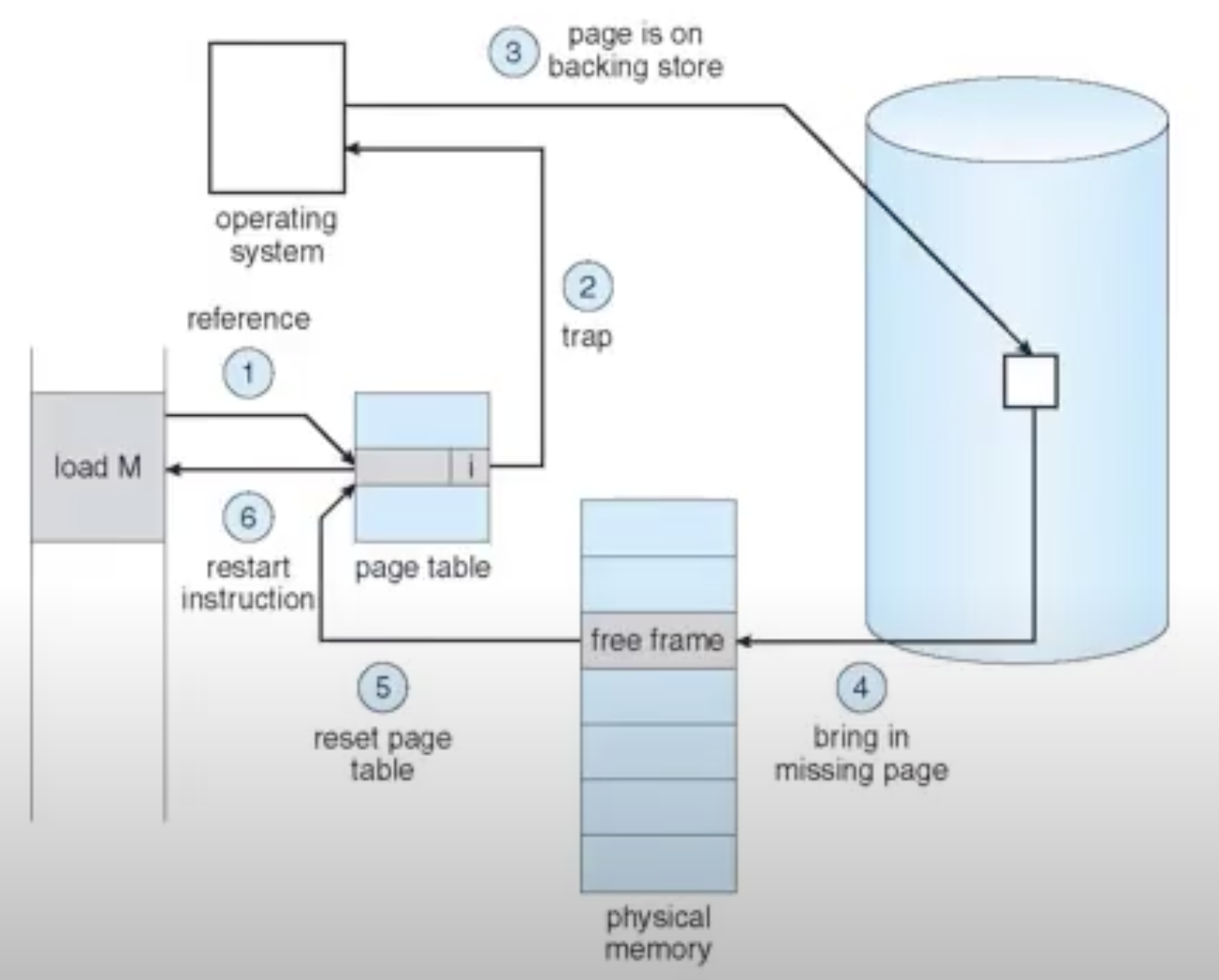
- Check if the page exists, by looking at another table
- if it does not exist abort
- if it does exist but it is just not in memory
- find a free frame
- move the frame from disk into memory, replacing the free frame
- set the new frame to valid
- retry the last instruction
What could happen in demand paging
- No pages in memory
- pre demand paging
- A process may reference multiple pages not in memory
Swap space
swap space - a list of pages that are allowed to be swapped if a page fault occurs
the advantage of using swap space is that, the page can still be used until it is swapped, and can also be brought out of swap space
Copy on Write
When a process vfork(), they will have pages that are the same, they can share the pages that are the same until they modify it in some way, then a duplicate must be made
Page replacement algorithms
if no free frames a algorithm is needed to select victim frames
Basic
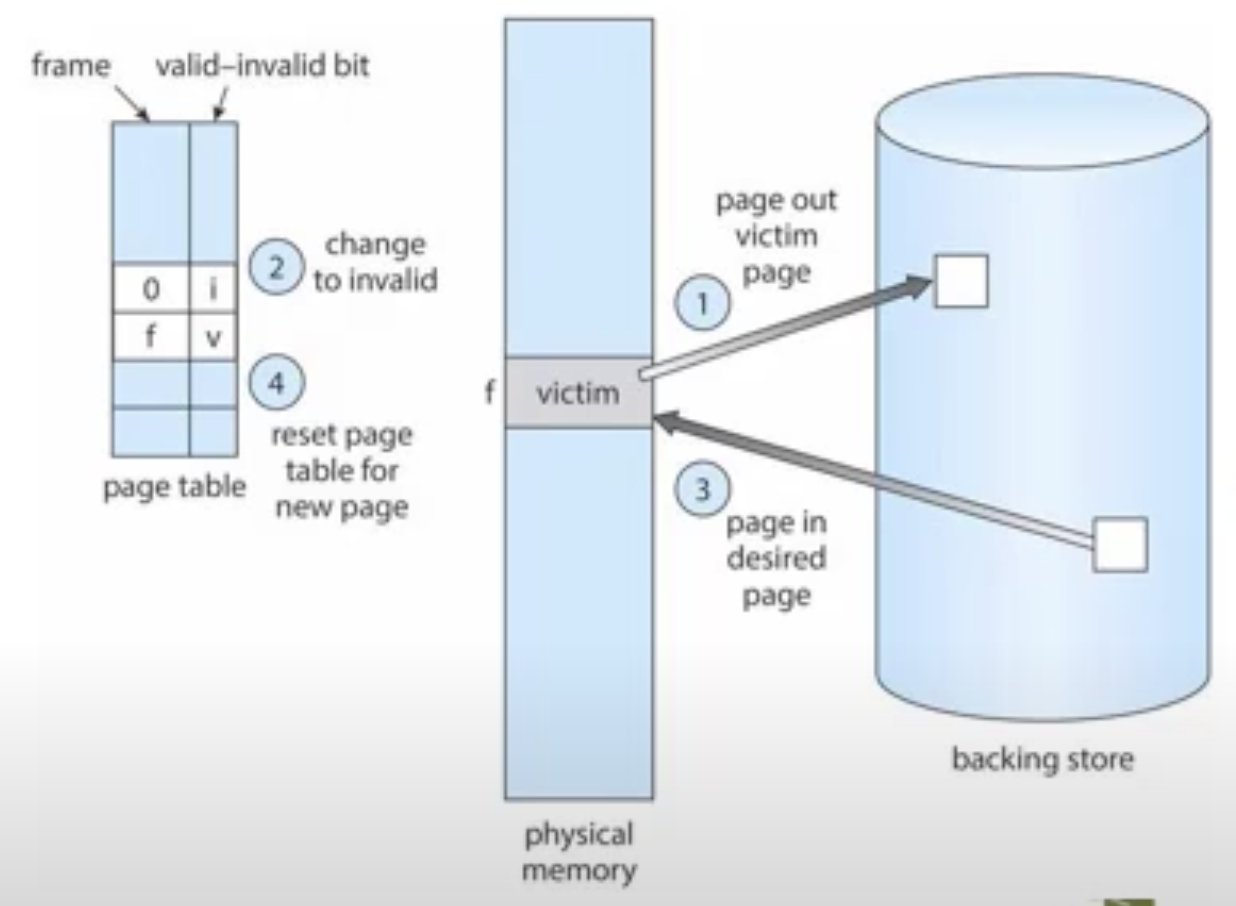
- Find desired page on disk
- Find free frame
- if no free frame select a victim frame
- Swap frames, and update tables
- Resume process
Optimise
- Use modify/dirty bit, determines wether a page was modified, so a frame does not need to be rewritten to memory
First-in-First-out
replace the page that came in first,
achieved using a queue,
the queue is size is the size of the number of max frames in memory
- Second chance, uses a reference bit, if value is 1 then ignore look at next value, could also use a clock
Optimal Algorithm
Replace the page that is not going to be referenced for the longest time
Requires future knowledge therefore not possible
Last Recently Used (LRU)
replace the page that has not been used for the most amount of time
- Make a counter for each page increase when referenced, replace page with lowest value, decay with age
- Create a stack, each time a page is used put it on the top of the stack, replace last one
- Reference bit, set to one if used, replace pages with 0
Second chance
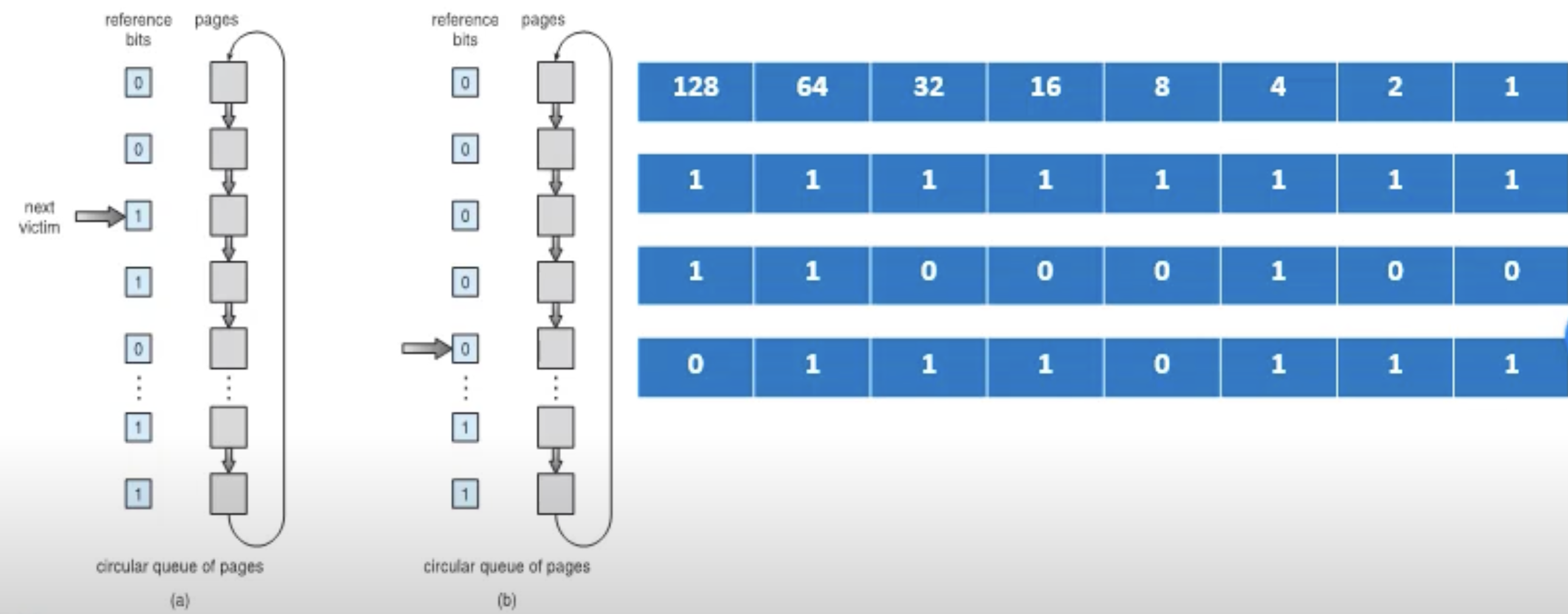
Add one to the largest value when used, each time a page fault occurs bit shift right, replace with smallest value
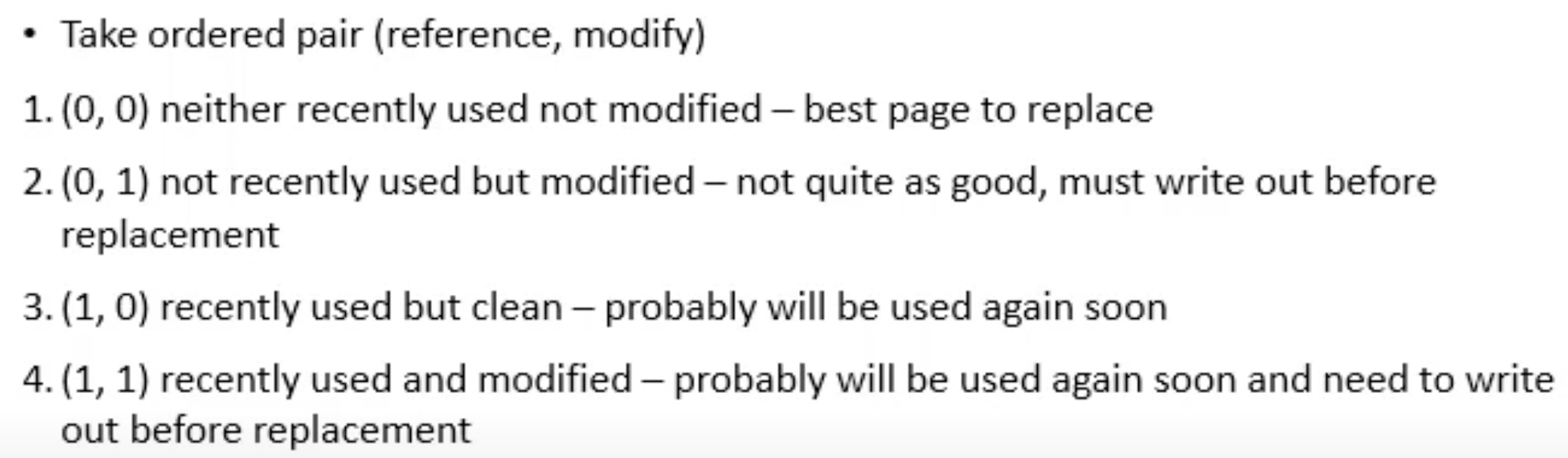
Could replace values that are least desirable
Best to replace order goes: 1, 2, 3, 4
Most/Least Frequently Used
Most Frequently used - replace the page with the highest count, since the lowest count is probably due another reference
Least Frequently used - replace pages with lowest count
Page Buffering
- Keep a list of free frames
- When needed evict a frame
- All dirty pages, write update memory, set to non dirty
- Take note of free frames, so if referenced then no need to call from memory
Fixed Allocation
Each process has a equal number of frames, with some kept as a free frame buffer pool
Priority Allocation
Give processes with higher page faults, frames from processes with lower page faults
Global Replacement
Free page buffer for all processes
Local Replacement
Free page buffer for each process
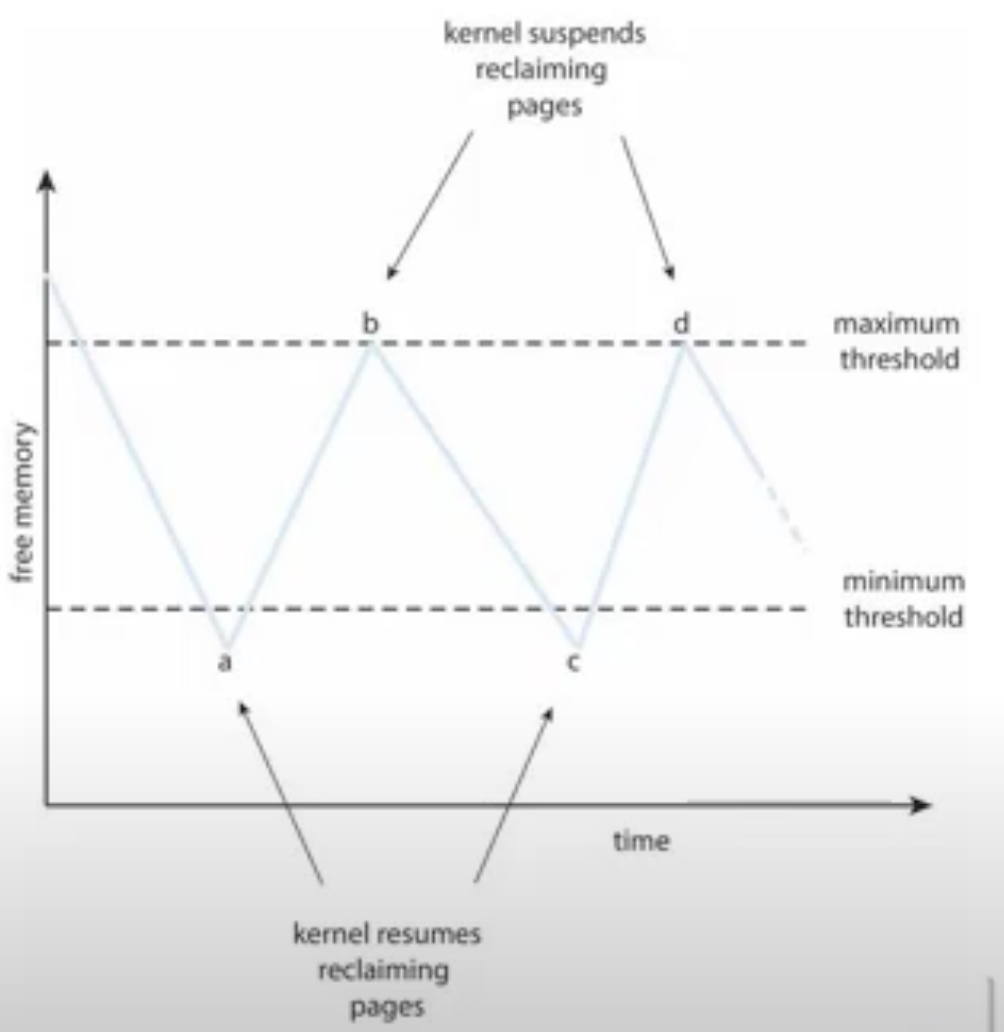
Thrashing
Thrashing - a process that spends that is busy swapping pages in and out of virtual memory
- Low cpu utilisation
Thrashing occurs when the locality is smaller than the memory available
Working set model
Takes note of the currently most used pages, the goal is for it to encompass the entire locality
Working set - all pages in memory
too small, wont contain the entire locality
too big, will contain too many localities
to implement use timers, or reference bits
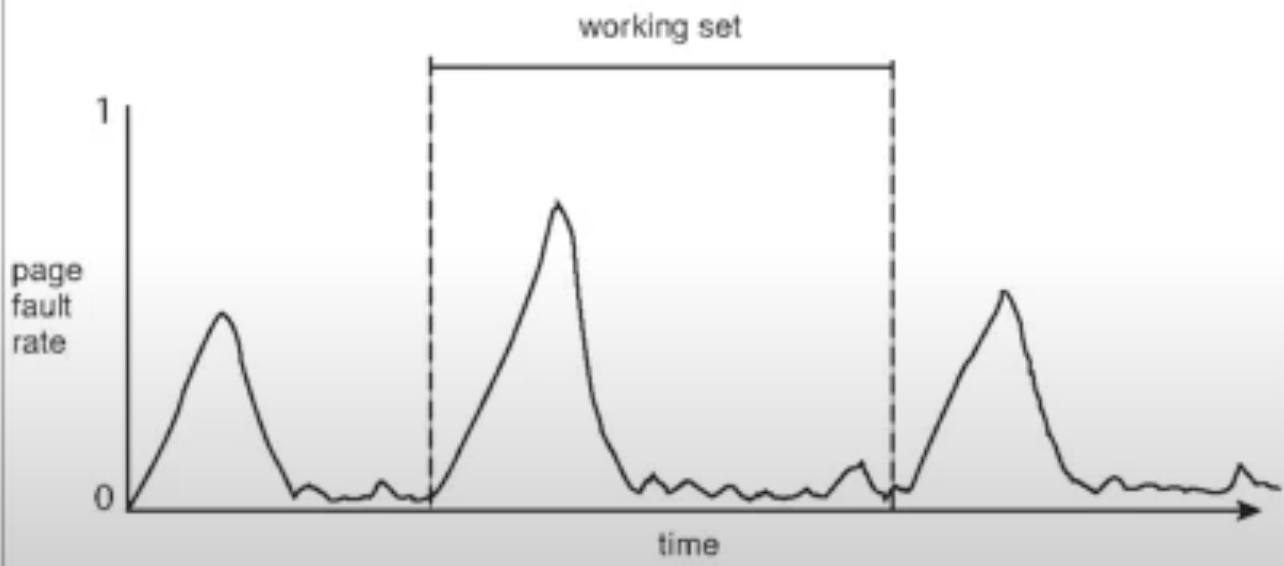
At the start the working set is loaded, the page fault rate drops
Page Fault Frequency
Number of times a process faults
Process will lose frames if faults are low
Process will gain frames if faults are high