Behavioural Modelling
- This describes how a system will work internally including how functions and objects will interact (Internal Behavior)
- Representations of the business process using use-cases
- Objects interact via sending messages
STEPS TO MAKE THIS
- From the use case diagram, select a use case and involve actors
- From the class diagram, identify the involved classes in the use case and their relevant methods
- Convert all the methods needed into a messaging sequence
video below on how to do it
Panopto
Capture, manage, and search all your video content.

UML Diagrams
They show how objects interact via:
- Sequence Diagrams - Emphasise Messaging Sequence (Only have to learn this one)
- Communication Diagrams - Emphasise message flow
- Timing Diagrams - Emphasise the timing of the events
Sequence Diagram
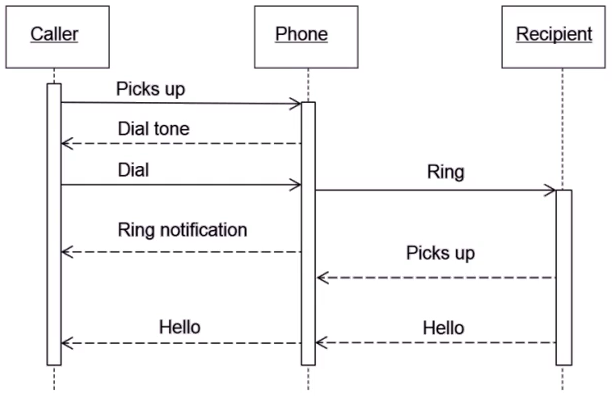
- Focus on the object level (not classes, that is a class diagram)
- Illustrates the objects that participates in a single use-case (one diagram per a use case)
- Dynamic model
- Shows the messages between the objects
- Makes it more simple and aids the programer
Elements of a Sequence Diagram
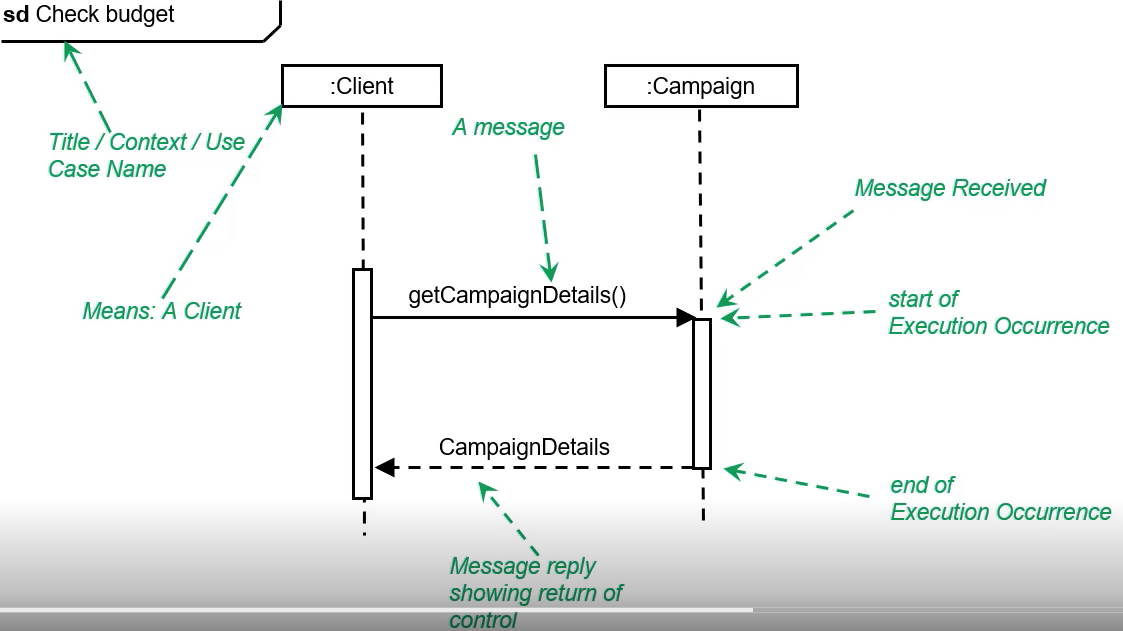
Object
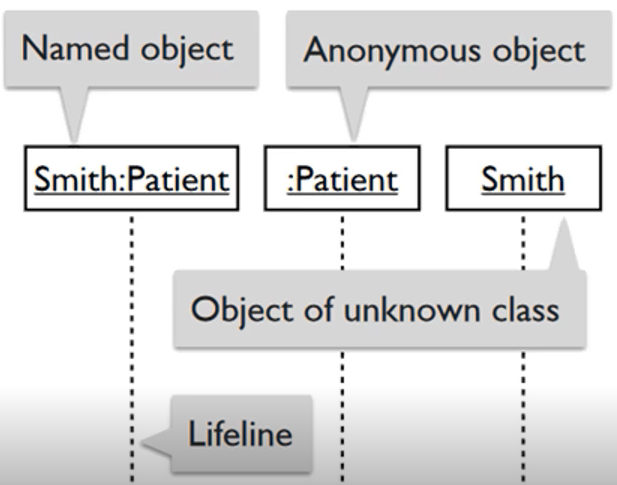
- Place across the top
- Life line is the vertical dashed line, represents life span of the object
- ObjName:ClassName
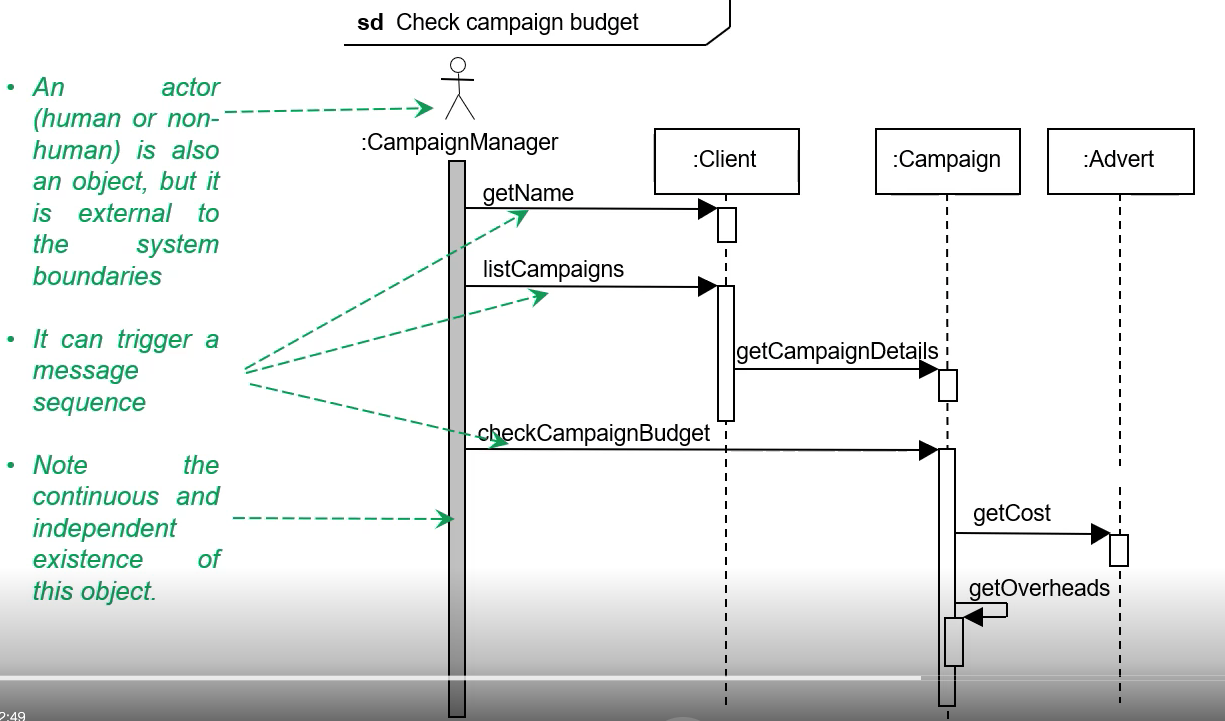
Actor
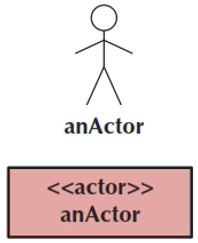
- Element external to the system
- Only participates by messages
- Across the top of the diagram
- Shown as either: <<Actor>> within a rectangle, or as a stick figure (default for humans usually)
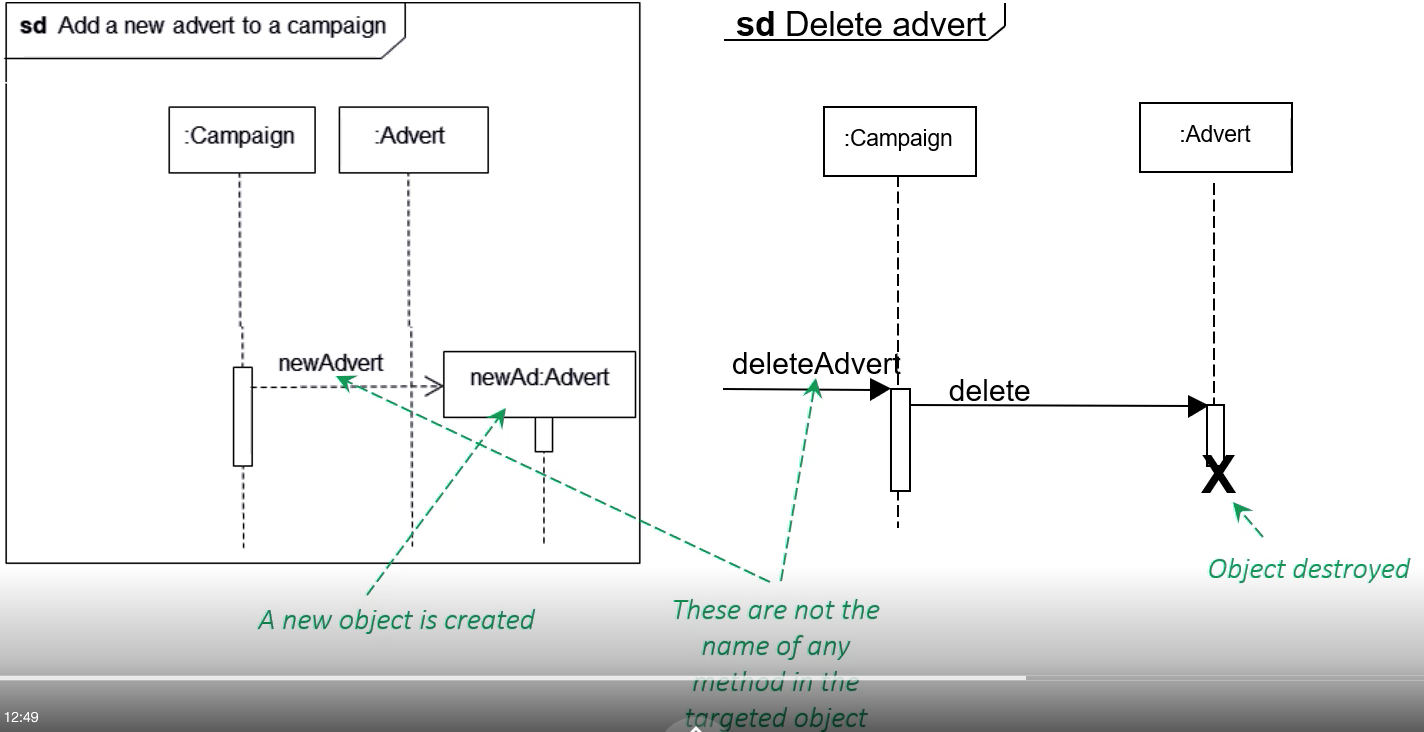
Lifeline

- Shows the life of a object during the sequence
- X at the point where the object stops interaction
An execution occurrence
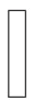
- Shows when a object is sending or receiving a message
Message
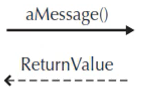
- Shows the actual message
- Synchronous message - Solid arrow
- Note: if no return value, maybe because void or too obvious
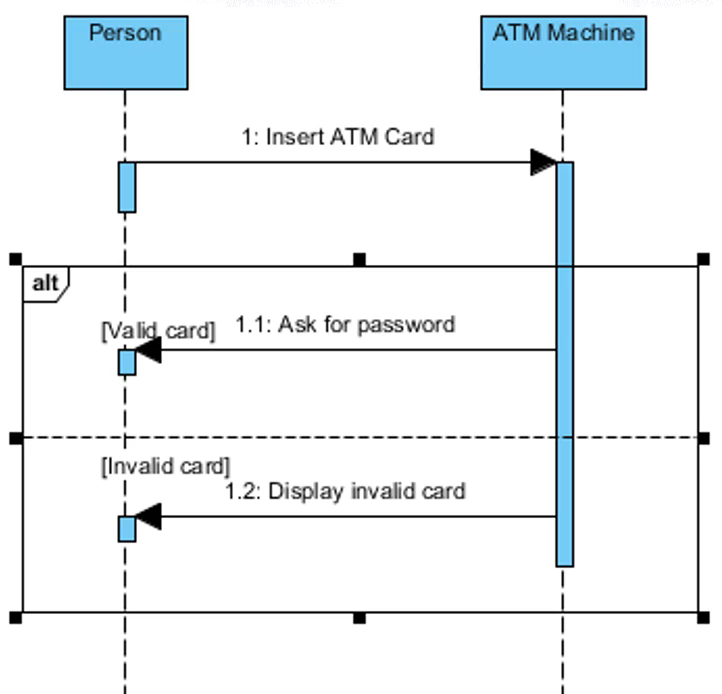
Guard Condition

- Is a condition that must be met before a message can be sent
Object destruction

- Represents the end of a objects lifeline
Frame
- Shows the context for the sequence diagram
Example