File systems
File system formats
FAT
Used in early versions of windows and DOS
Could handle up-to 2GB - 4GB
No security
FAT32
Used in windows 95, still used in some computers
Could handle up-to 32GB
No security
NTFS
Used in windows NT, Servers must use it
Could handle up-to 16EB
In folder security
Encryption
Compression
Disk quotas (restricts files usage, and space taken up on the disk)
Mounted Volumes
Files
What are files used for?
Files are used to store data on secondary storage
Give examples
- Binary executable (programs)
- Text files
- Media files
What is the 8.3 file name format?
Used in windows NT
max 8char name
max 3char extension
What is the char limit now?
255char limit
List all file commands
- create
- delete
- open
- close
- read
- write
- append
- seek (goto)
- rename
What is sequential access
File is copied to main memory, sequentially and in order byte to byte, from the secondary storage.
Random access
Data can be read out of order.
What are the two operations
Read/Write
seek (basically a goto)
File allocation
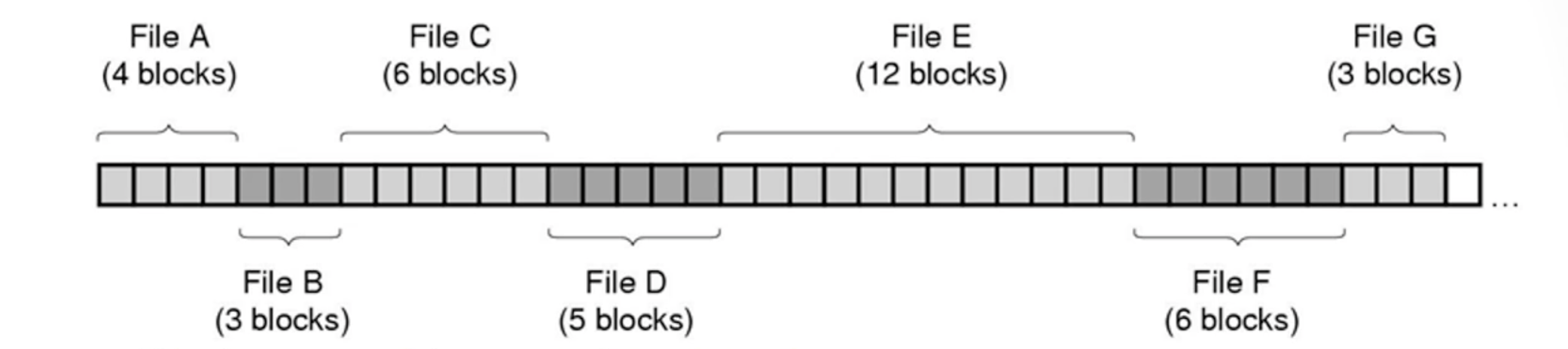
Contiguous Allocation
Files are divided into blocks
Files are stored next to each other, and are not scattered
problem
What happens if we remove a file
We will have empty spaces, i assume this leads to defrag he never says but suggest it
solution
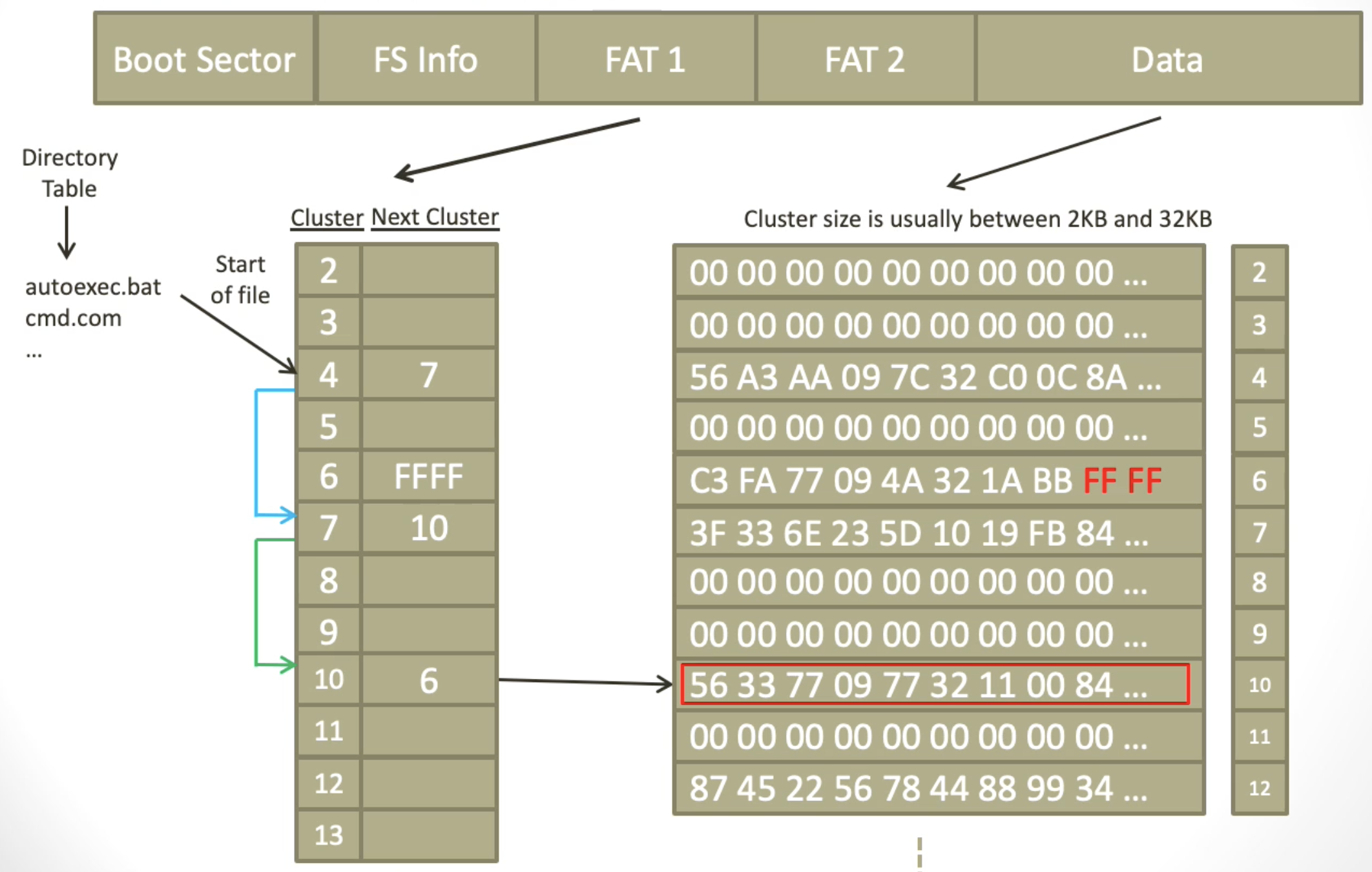
Allocation table
Allocation table
This is a table were when running a program, when you come to the end of a cluster, it tells you were the next cluster begins, in FAT
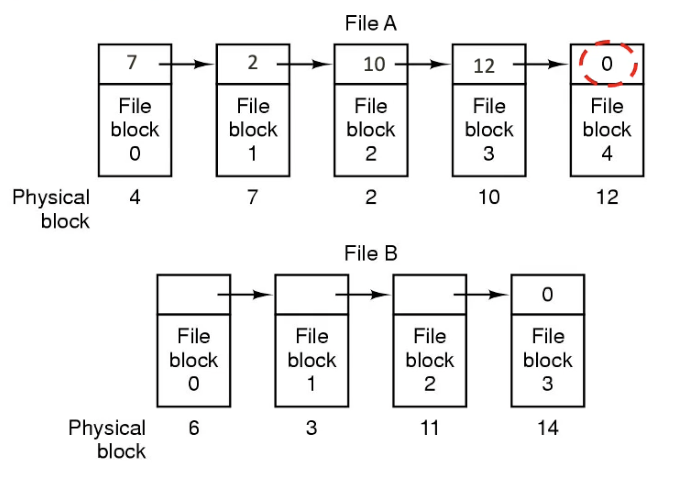
Linked list allocation
FAT uses a table to point to the next block in the chain
This is fixed size
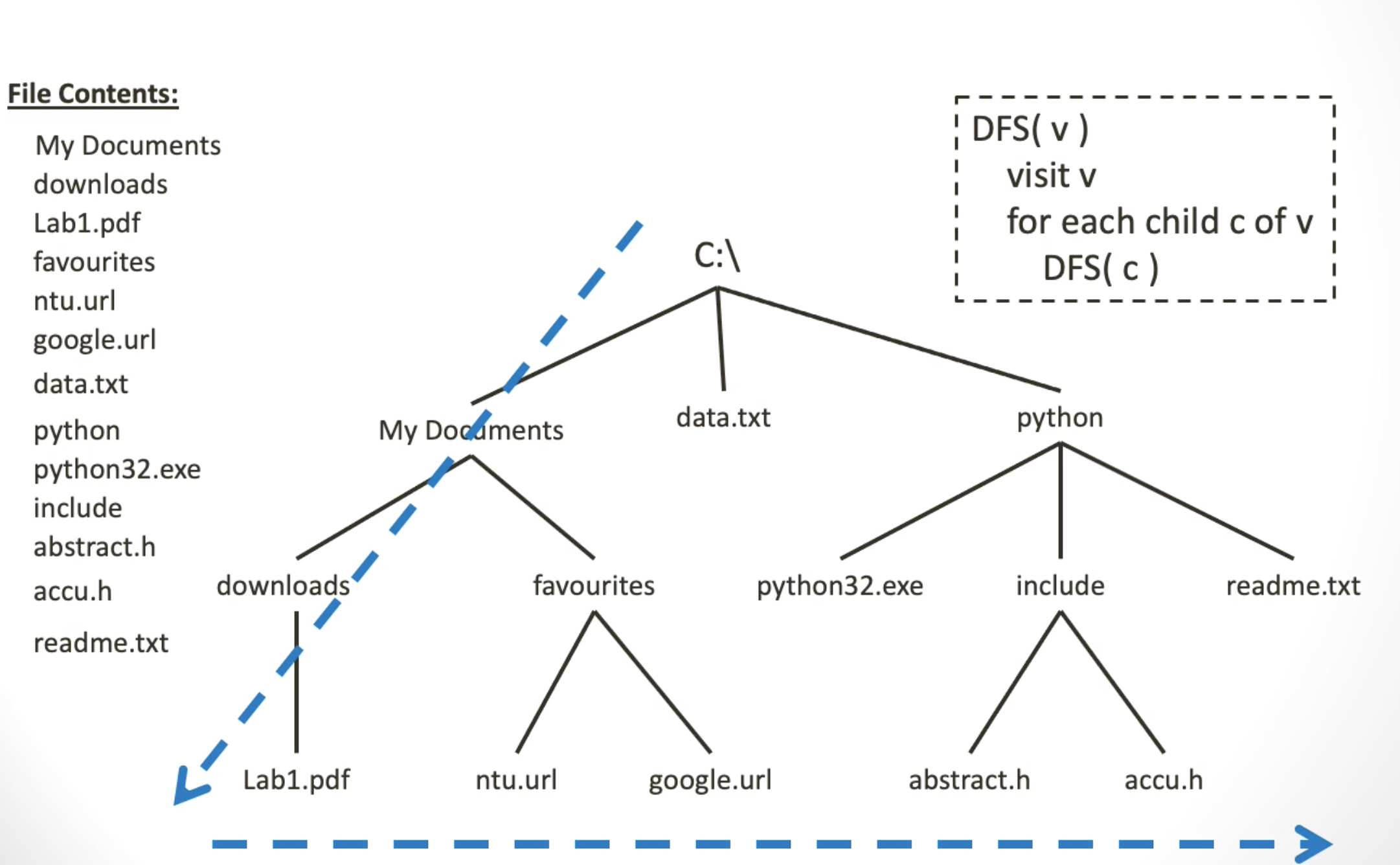
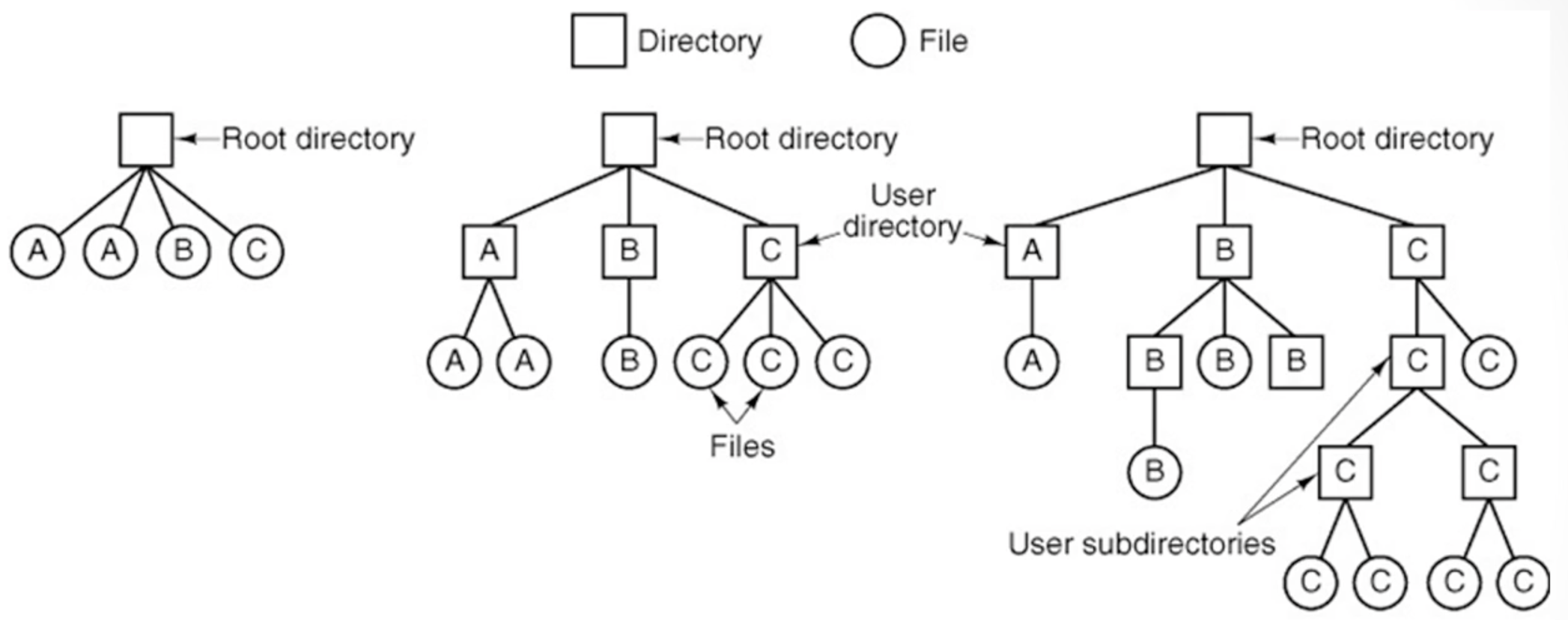
Hierarchical Directories
What is a Hierarchical Directory
This is where you have a root directory at the top
Below it there are folders which can contain both files and more folders
Image of Hierarchical Directories
Searching
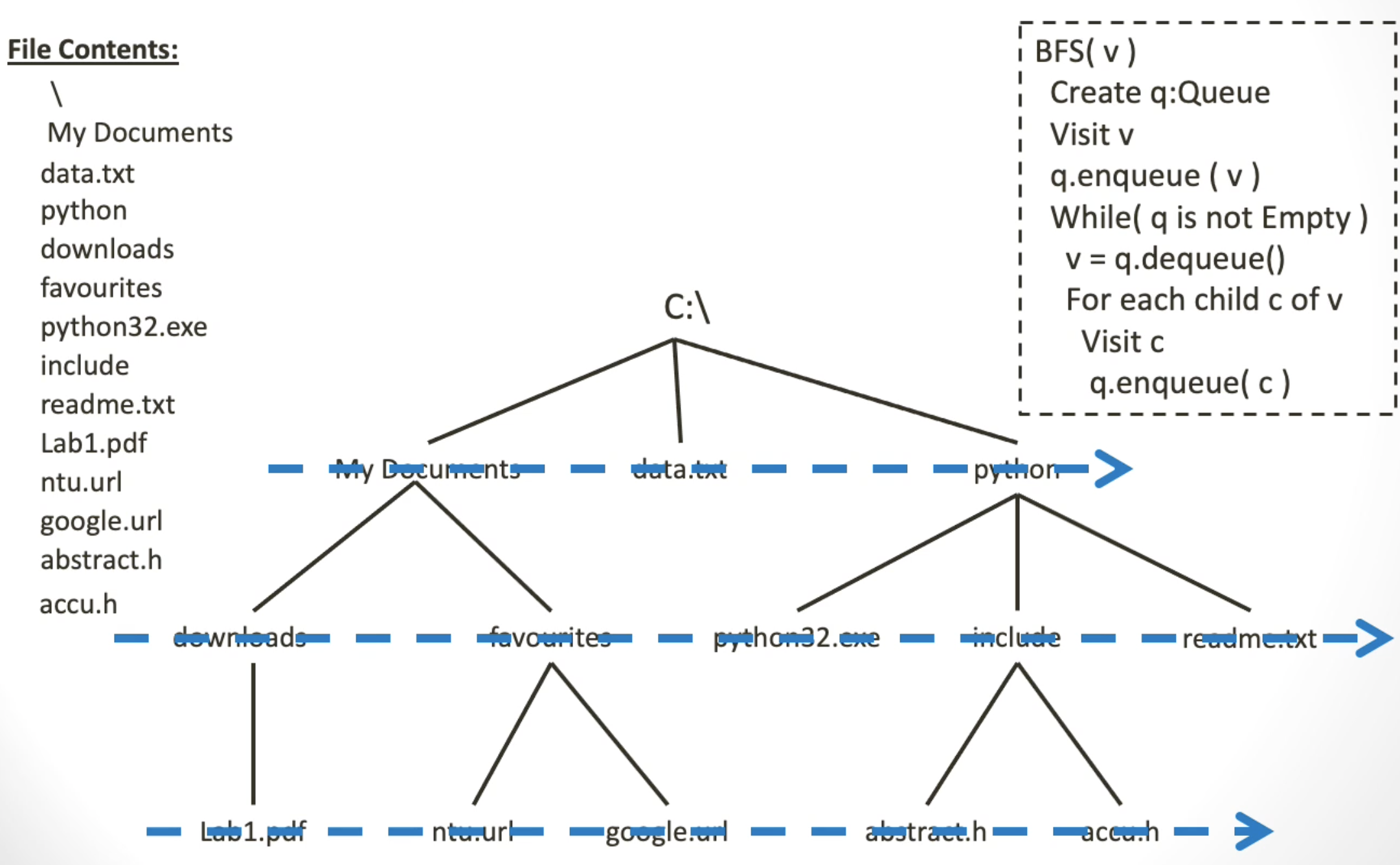
Breadth first search
Will go down each layer, and check every node
Note: When i say each layer i mean, it will look at ever node on layer 1, then 2 and so on
it will switch folders when looking down each layer, it wont 'spike down each one'
Depth first search
If finds a directory, it will check the directory, until it has completed then it will go across or 'in breadth'